The Arch. Elements Workspace is a tabular representation of entities in the model. Click on each of the tabs to view tables of each of the entity’s components.
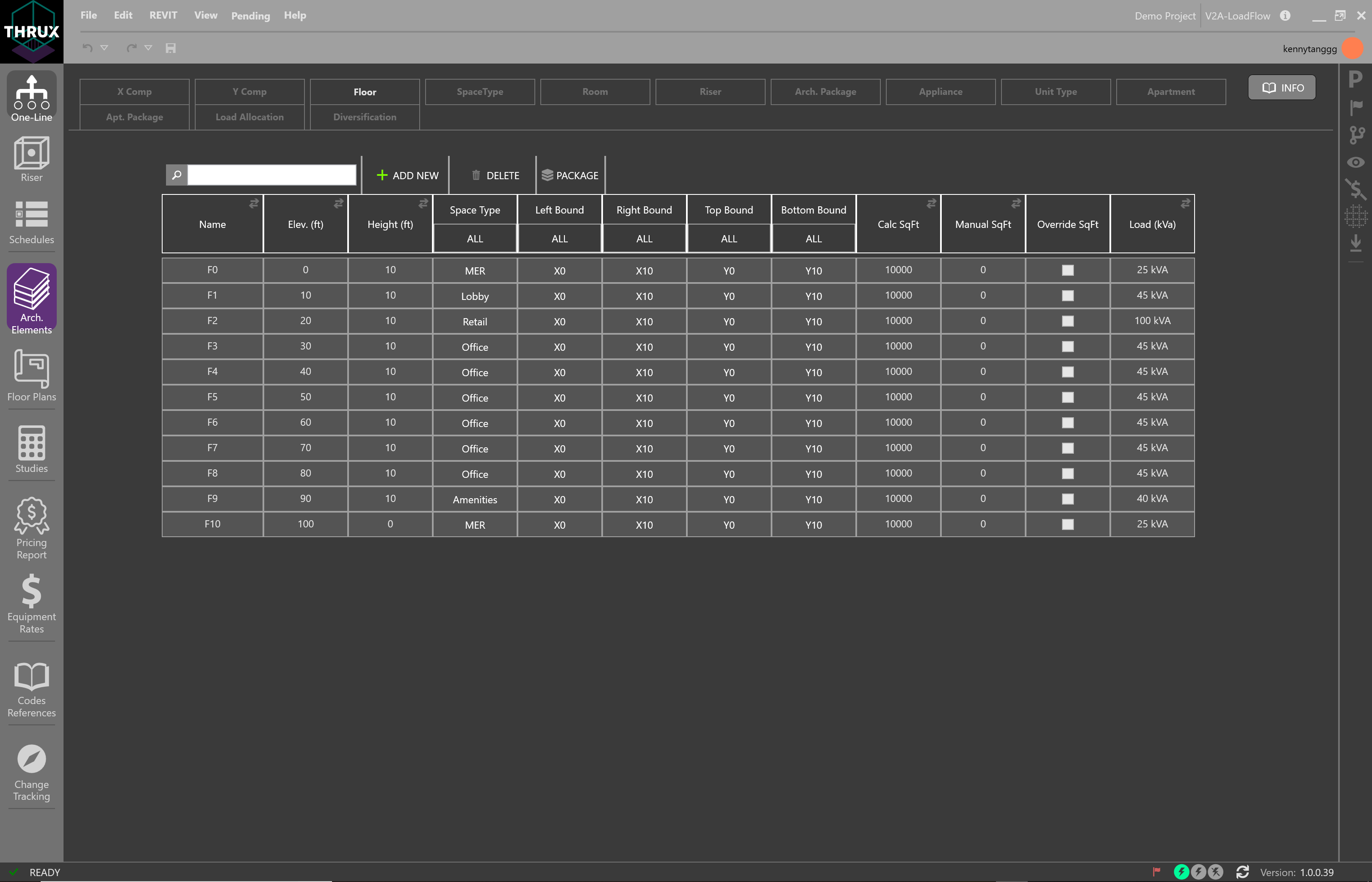
Viewing Floors in the Architectural Elements Workspace
These tables have additional functions which allow the ability to create, copy, and export.
Additional Commands
| Command | Description |
|---|---|
| Select All | Use CTRL+A to select all entities. |
| Cut/Copy | Use CTRL+C to copy and CTRL+C to cut. |
| Paste | Use CTRL+V to paste. |
| Filtering | Filter items by using the sorting button. |
| Exporting | Use the export button to export your model into .csv, .xml, or .json. It is also possible to export content by copying and pasting into Excel. |
Loading System
The Architectural Elements are the unifying components which Engineers base their design. However, various engineering disciplines refine and base their calculations off of different elements.
You have the ability to abstract the architectural elements of a model to create Load Packages. Ideally these entities would be abstracted away from a Revit model. However, during the early stages of development, a Revit model may not exist.
Creation of these architectural entities allow for the THRUX engine to fully utilize its Loading System which applies loading factors dictated by the designer and the Project’s applicable safety codes and standards.
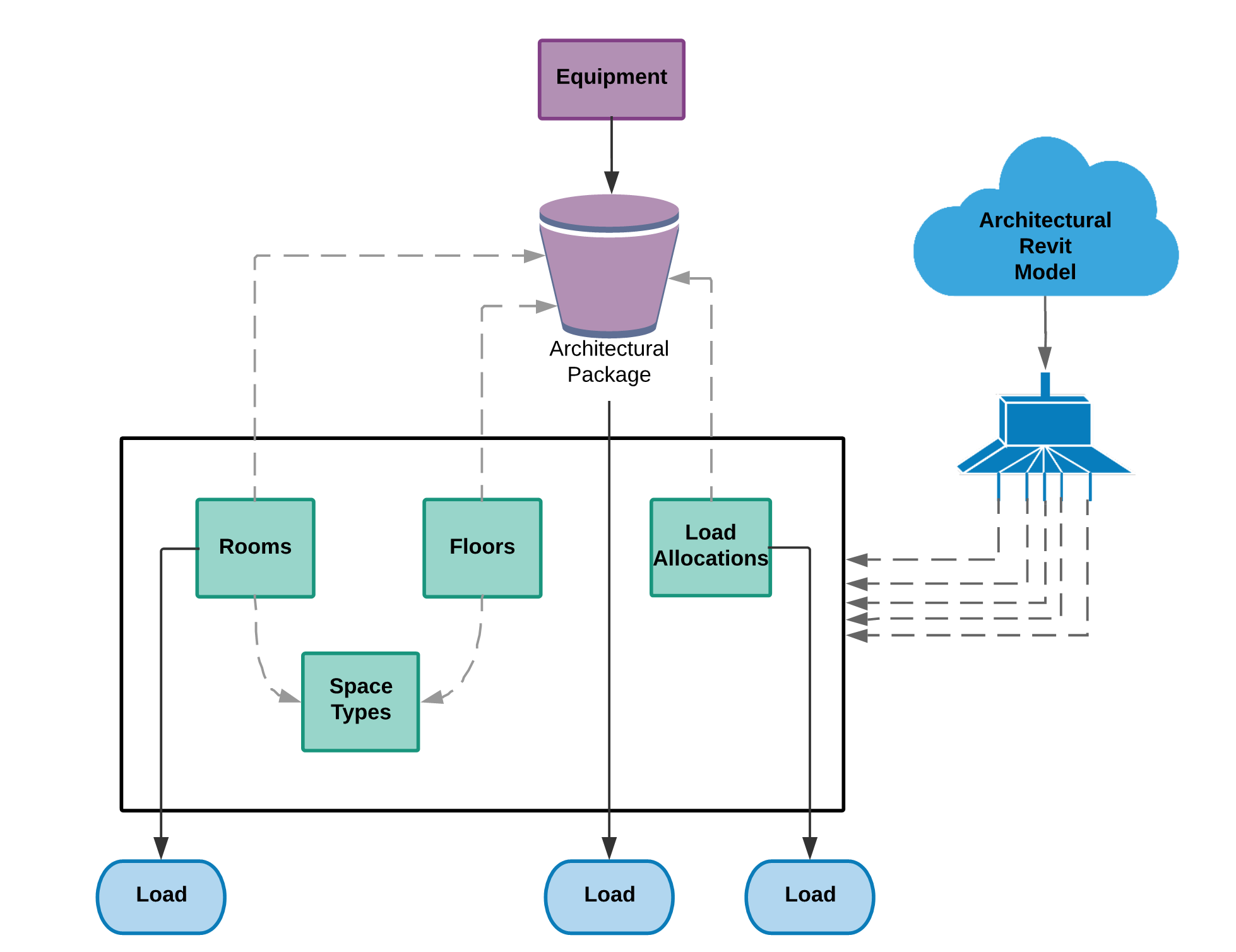
Creating Architectural Load Packages
Modeling residential loads relies on creating entities that are based off of the NEC.
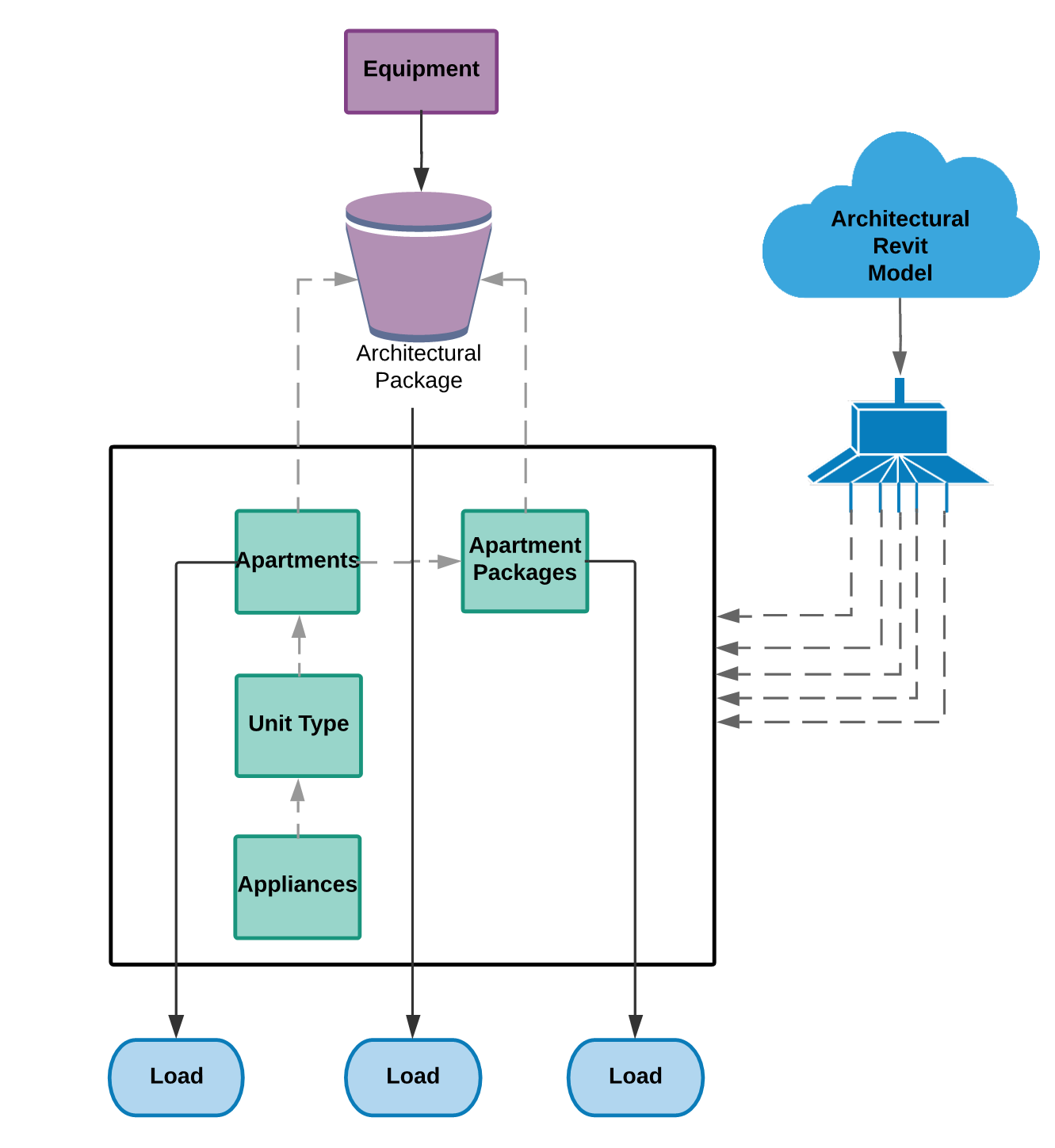
Creating Architectural Load Packages to model residential loads
Groups of architectural entities can be created within THRUX, or imported from a Revit model. Ultimately, Packages are loads that can be attached to Equipment.
Architectural Package
Architectural Packages are used to model the load or power density of a group of architectural elements.
For example, a group of Floors could each have their Space Type designated as Office, which has a specific power density. This group of Floors can be packaged as a load, and fed from distribution Equipment.
Select a group of Floors or Rooms. Then, in the orange textbox, enter a name for the Package and then click the (+) button. This is packaging a group of Floors as a load.
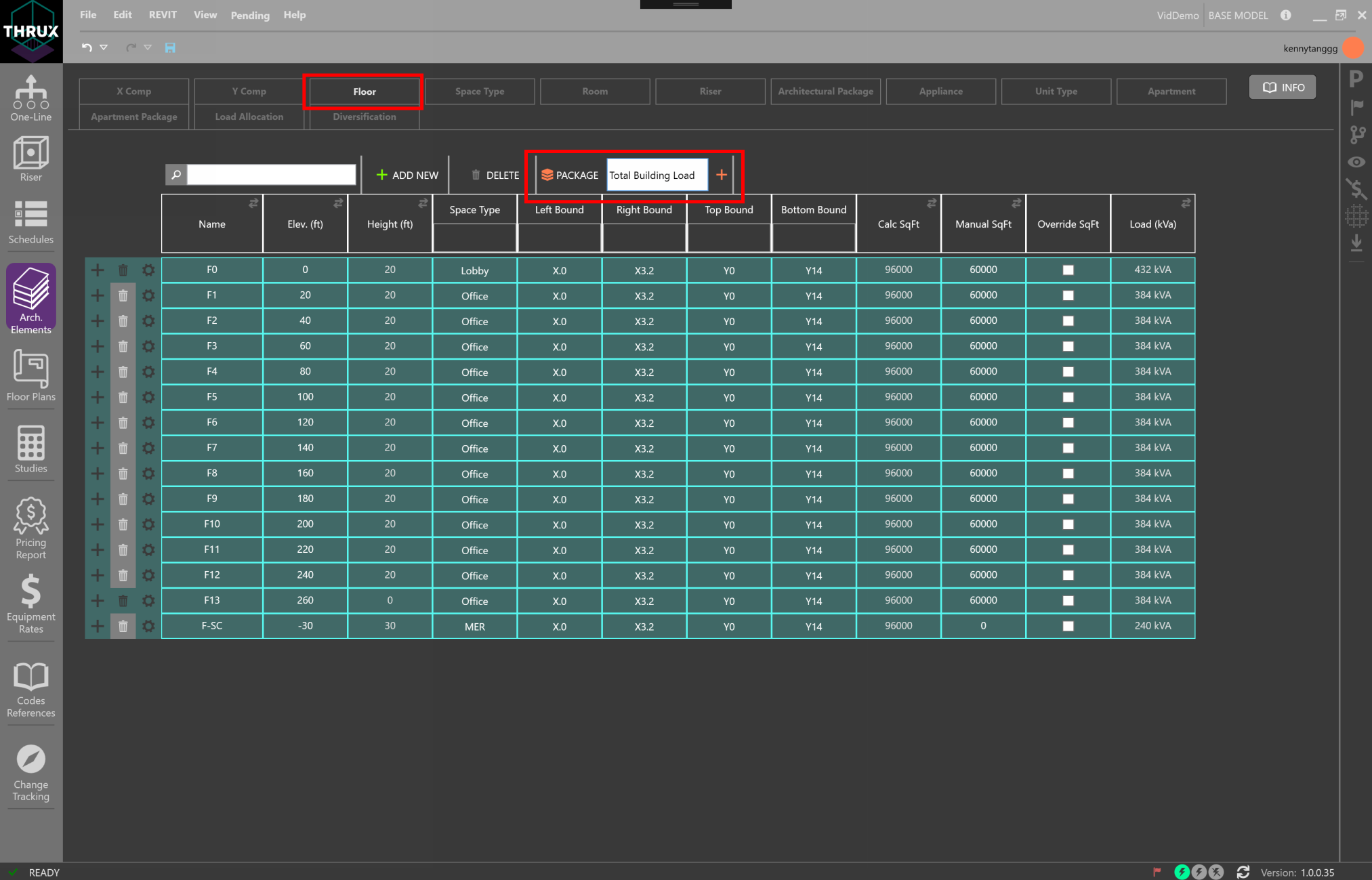
Creating an Architectural Package for a group of Floors
To view the Package, click the Architectural Package tab. These loads can be attached to any distribution Equipment in the network.
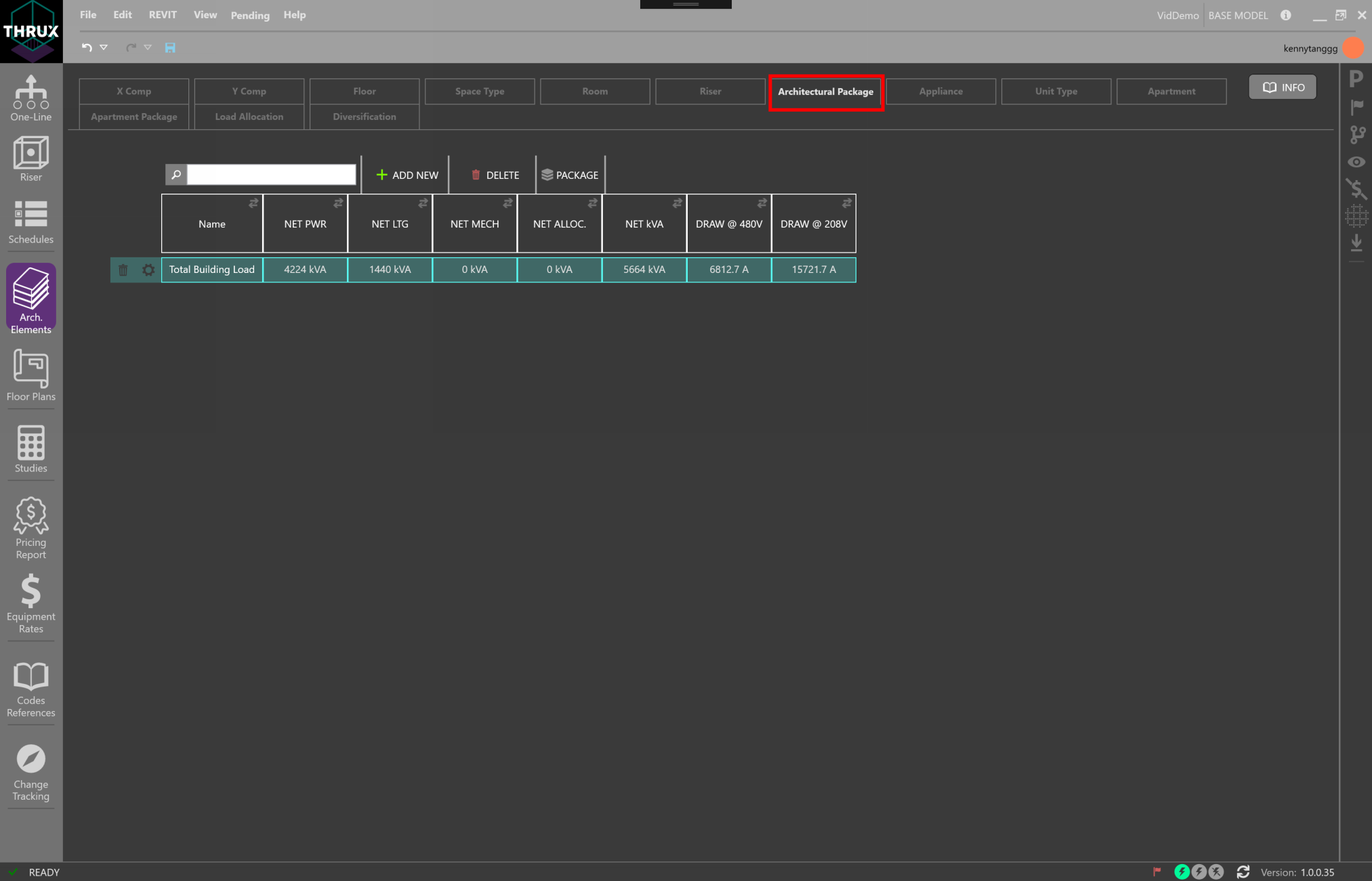
Viewing the Load of Architectural Packages
Load Allocation
Load Allocations are used to supplement the Architectural Packages. In addition to Floor or Room power densities, power can be allocated to specific Floors.
You may want to account for a load that only occurs on Floors of a specific Space Type. For example, if you wanted to account for a 20 hp motor on every Office Floor, they would need to create a new Load Allocation. Then, they would filter that Allocation by the Floor Space Type and add it to an Architectural Package.
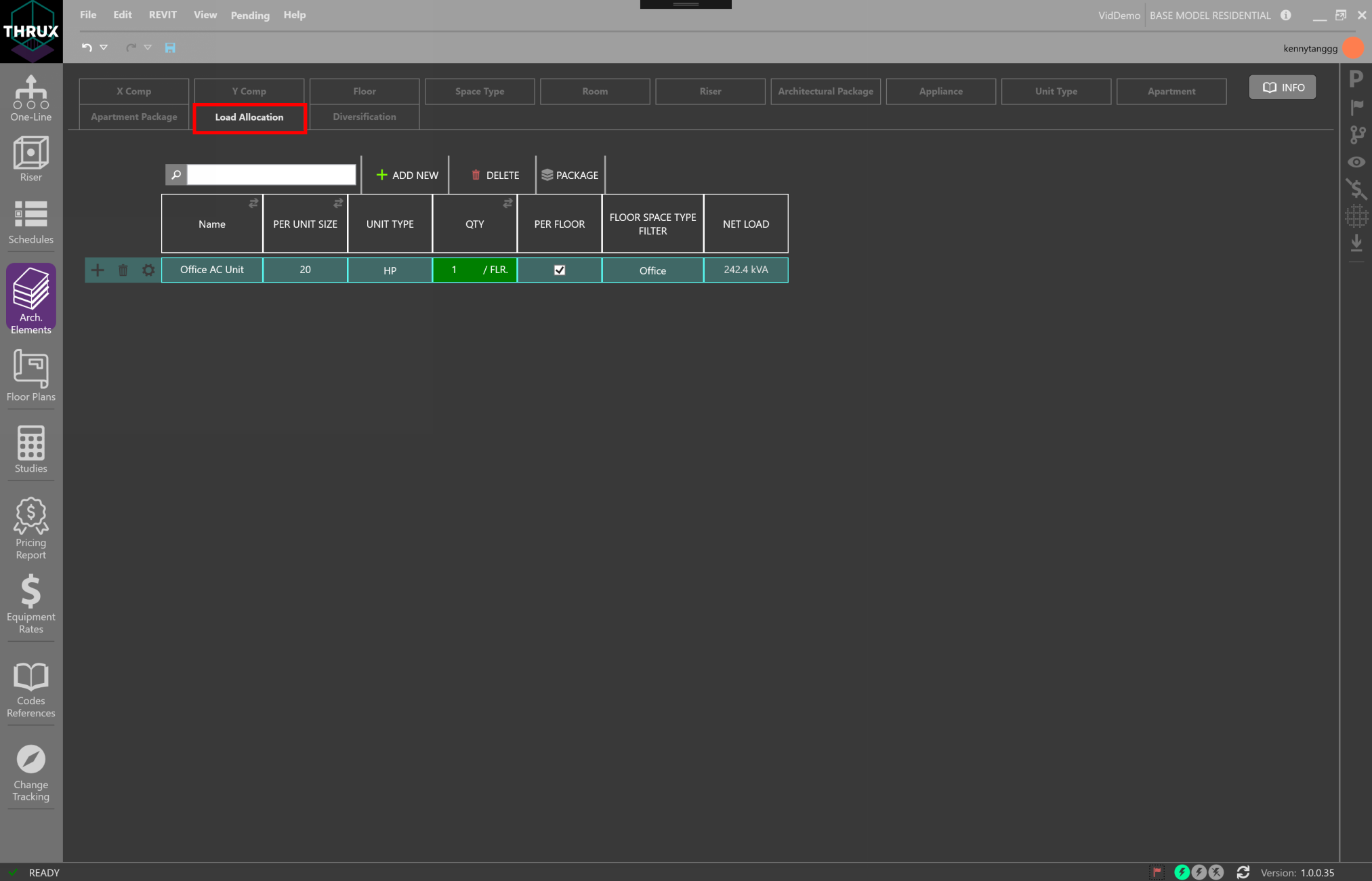
Creating a Load Allocation
Load Allocations can be added to Architectural Packages. Use the (+) button to associate the Load Allocation with an Architectural Package.
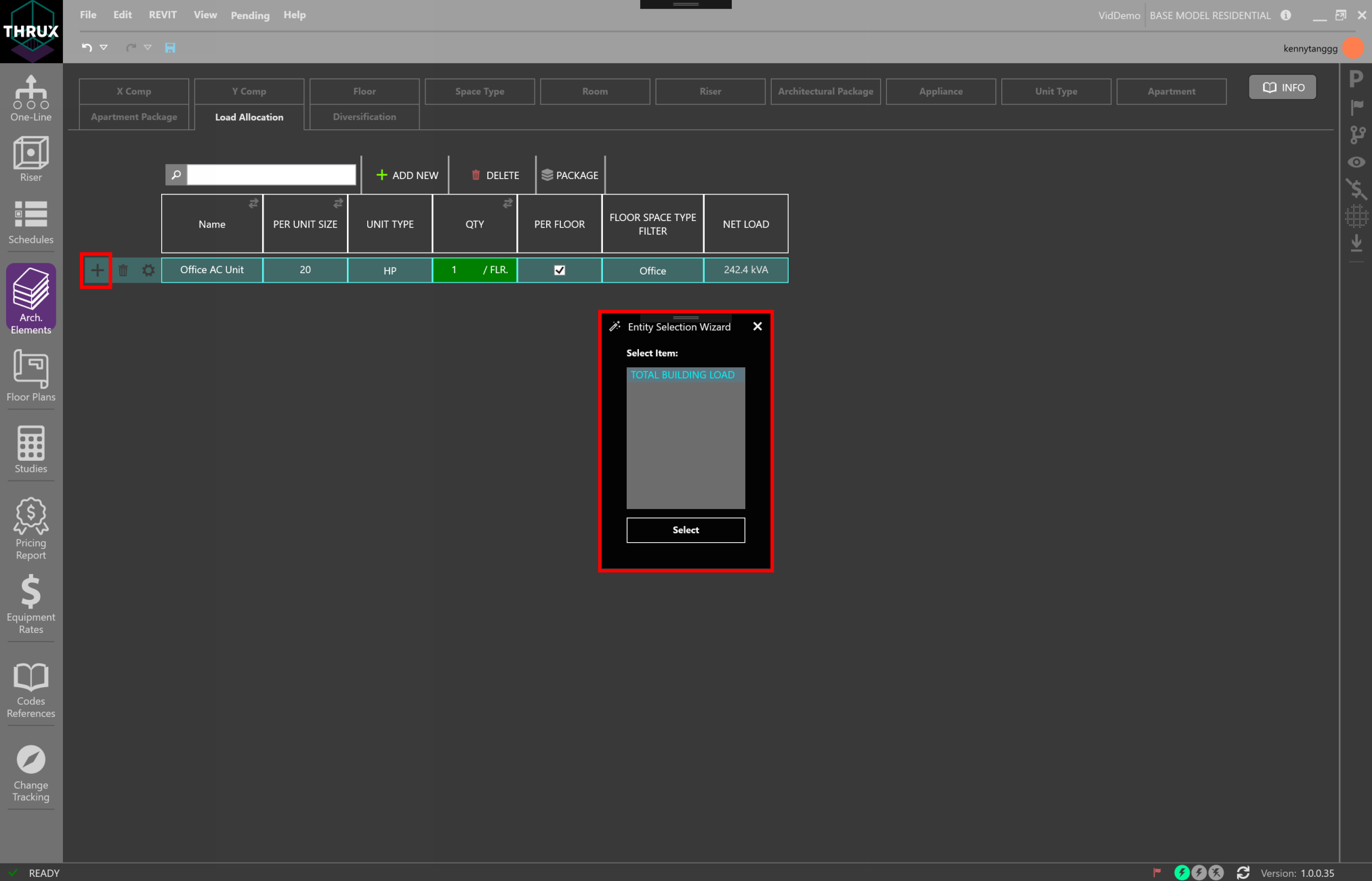
Allocating additional loads to an Apartment Package
Diversification
Diversification allows you to create customizable diversity factors which can be applied to different sections or levels of the distribution system.
A Root Diversity is a factor applied to Root Level loads. A Root Diversity cannot be less zero and cannot be greater than the Distribution Diversity.
A Distribution Diversity is a factor applied to Distribution Level loads.
An End-of-Line Diversity is a factor applied to End-of-Line Loads.
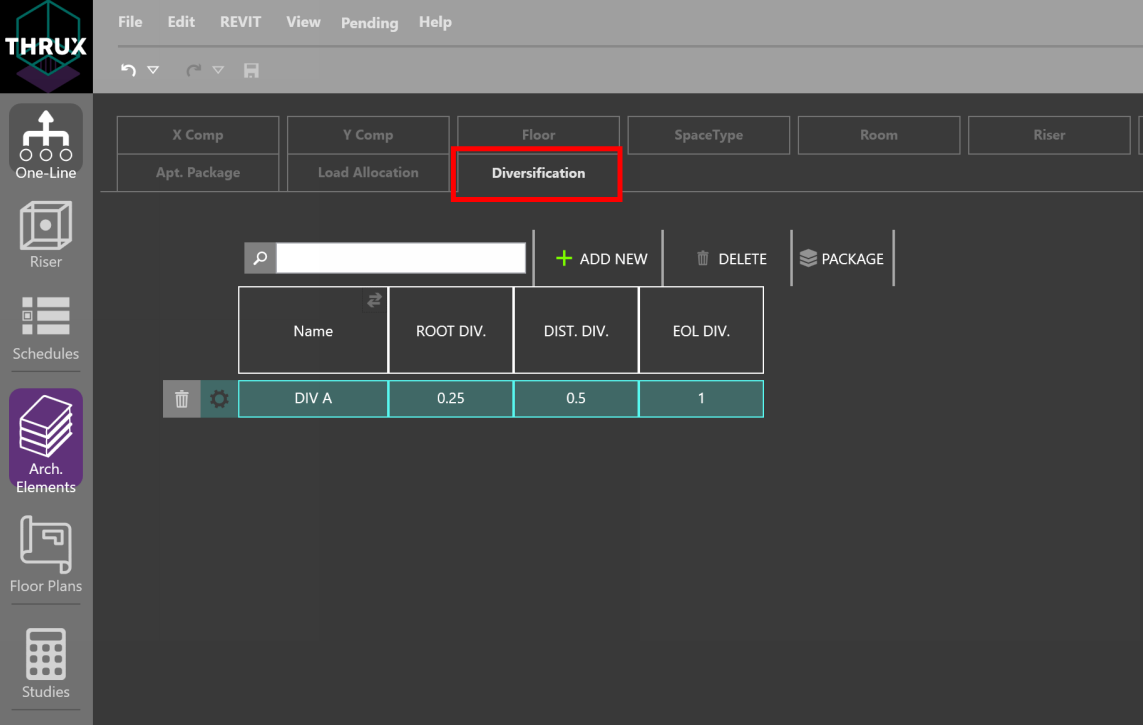
Creating a Custom Diversification Class
In the example below, a Custom Diversity class called DIV A is created and applied to a small distribution network.
EOL (End-of-Line) loads have a diversity factor of 1.0 applied to them. DIST. (Distribution) loads have a diversity factor of 0.5 applied to them. ROOT loads have a diversity factor of 0.25 applied to them.
At the Diversity Position DIST., or DB-1, a factor of 0.5 is applied to loads L1 and L2, and summed together. Therefore, the Net Load of DB-1 is 10 kVA.
At DB-2, the same diversities are applied to loads L3 and L4, and the Net Load is also 10 kVA.
At the Diversity Position ROOT, or MDB, a factor of 0.25 is applied to all of its loads, L1, L2, L3, and L4, and summed together.
If any downstream Equipment of MDB has a Load Override value, that value would be diversified instead of the connected load.
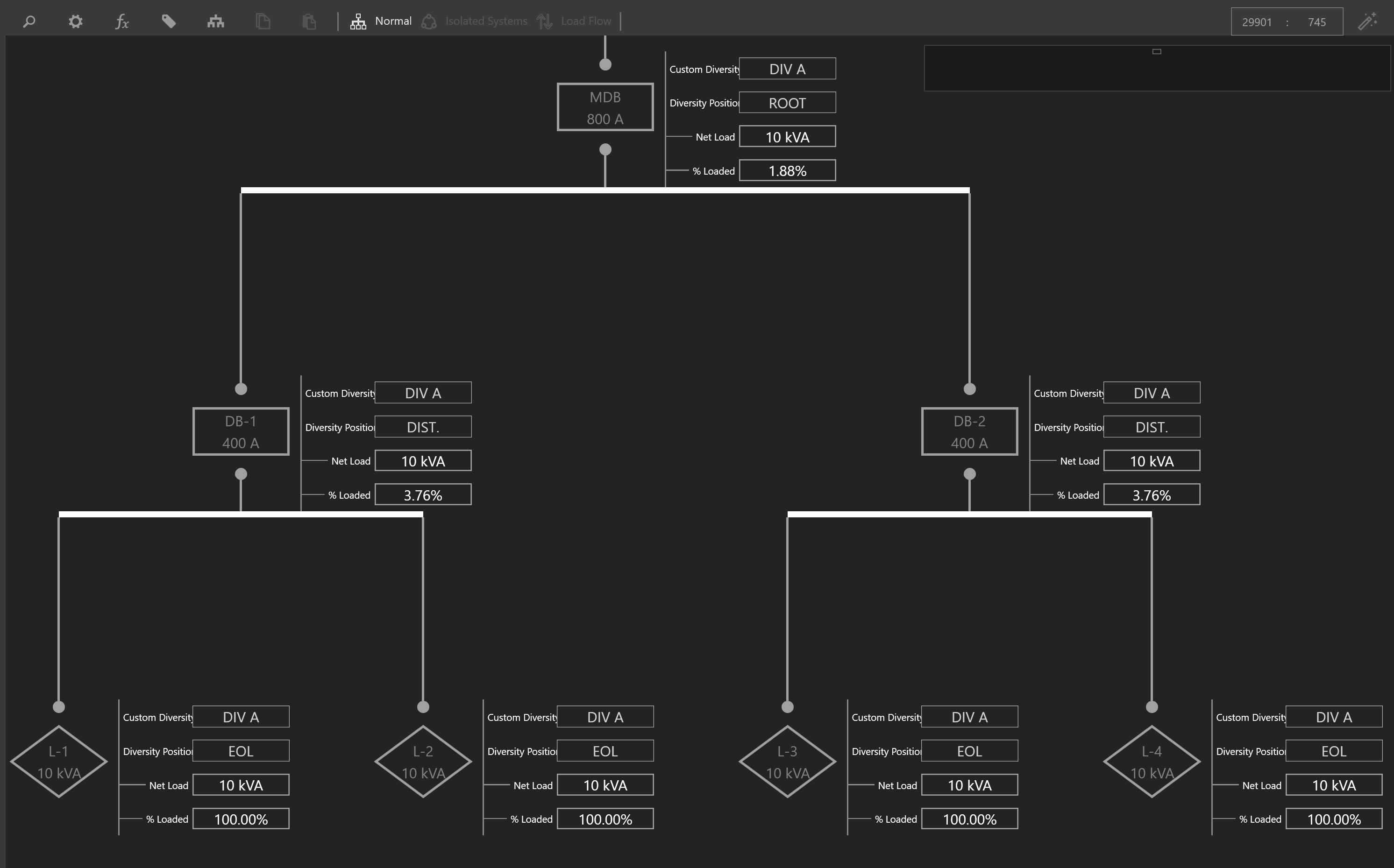
Electrical Distribution Network utilizing Custom Diversitification Classes
Modeling Residential Loads
Appliances
Appliances are used to calculate the load of residential projects and are grouped by classes as defined by the NEC. Appliances are assigned to a Unit Type.
Unit Type
Unit Types are used to group Appliances together in order to calculate the load of residential projects. A Unit Type is assigned to an Apartment.
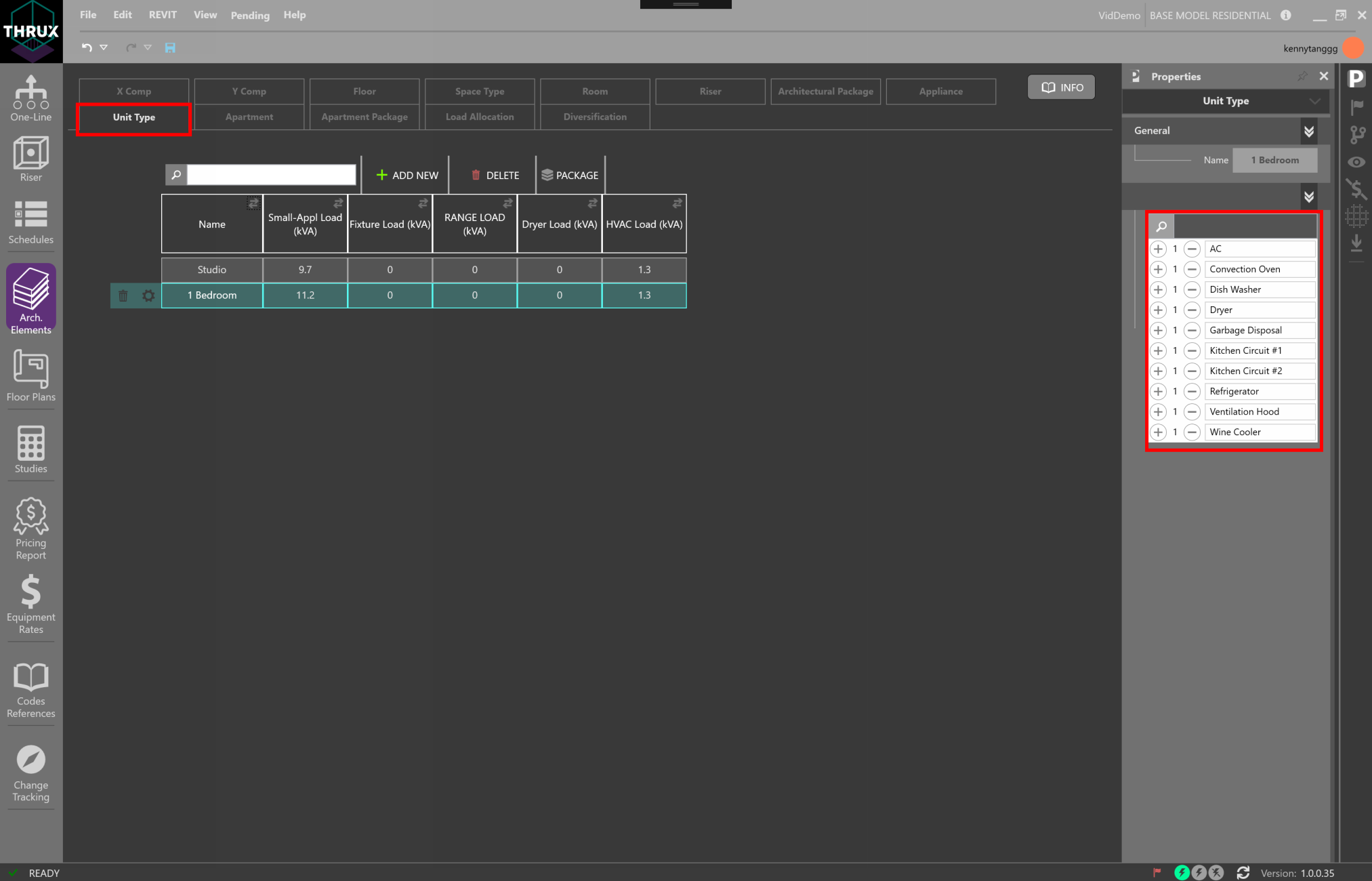
Assigning Appliances to a Unit Type
Apartment
An Apartment contains a Unit Type. It also contains information regarding its location and loading information. A group of Apartments form an Apartment Package.
Apartment Package
Apartment Packages are used to group Apartments together in order to calculate a load.
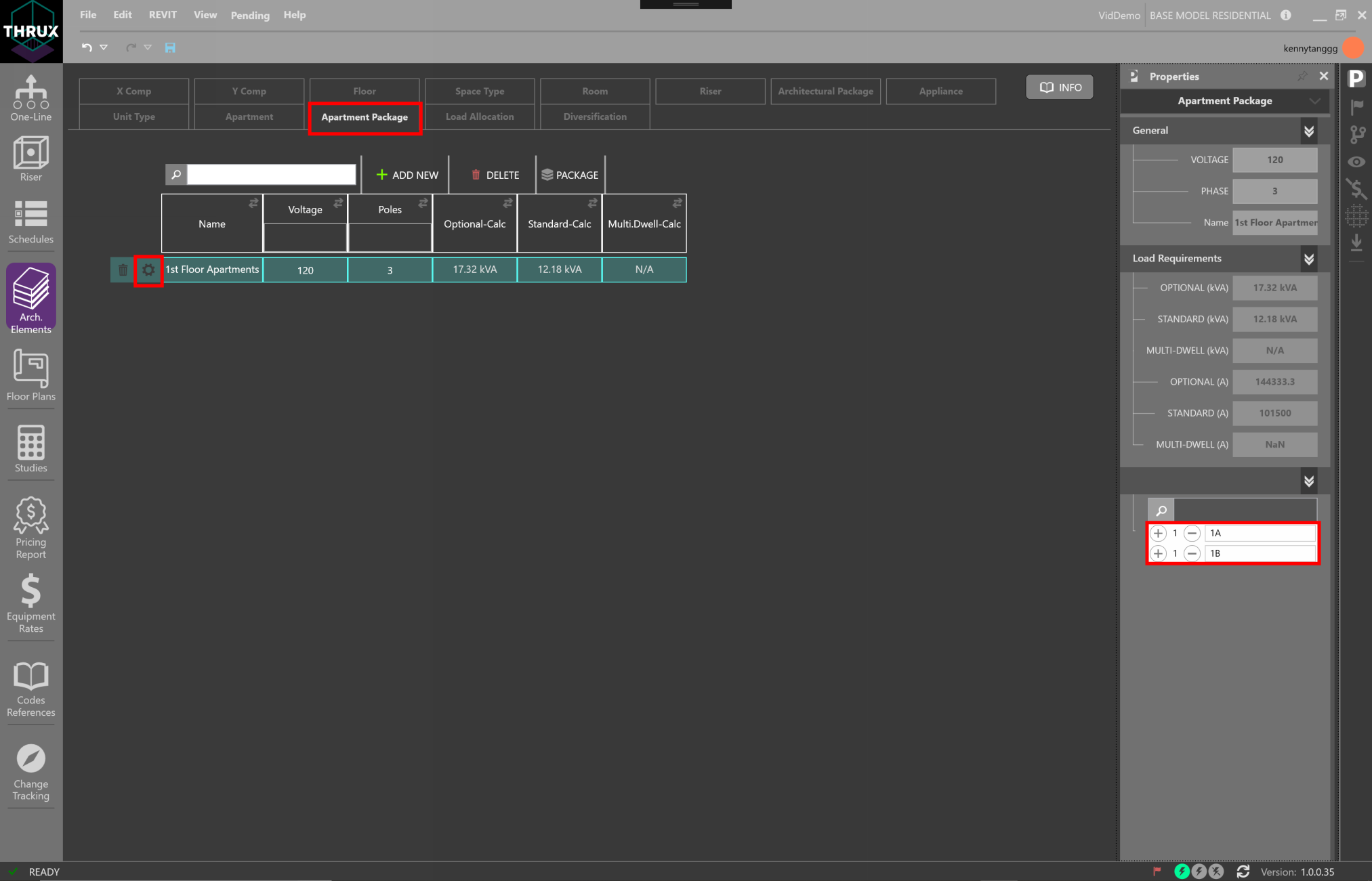
Assigning Apartments to an Apartment Package
Mechanical Entities
Coming soon.