Welcome to THRUX!
Supplement this Product Overview with our Getting Started guide and our FAQ’s for more information.
Code-Compliant Design
Choose the applicable codes that are relevant to your Project. These codes are constantly being referenced to perform customizable auto-sizing calculations and to validate your design.
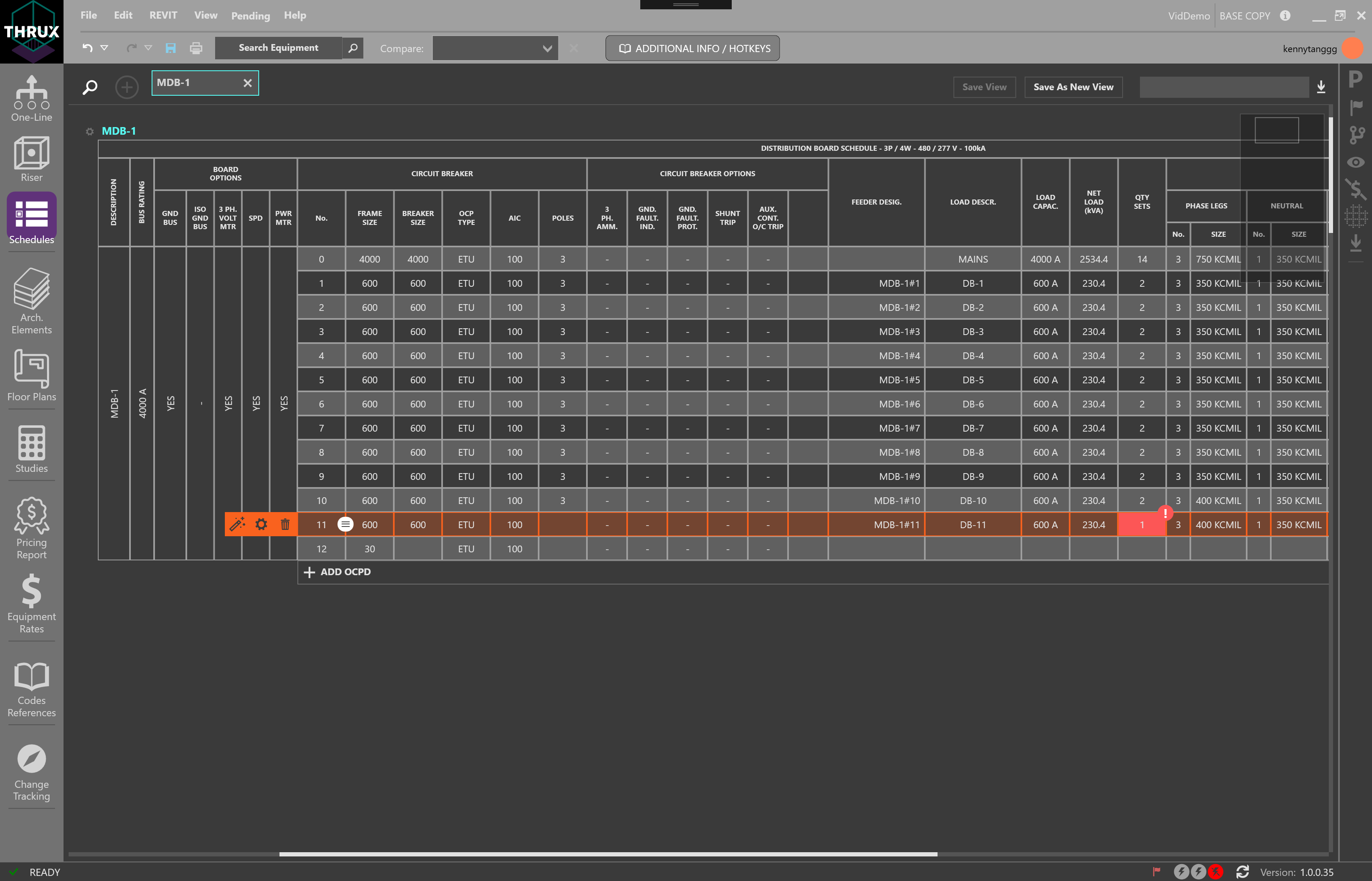
Schedules Workspace with Design Assistance turned off
Also, THRUX provides different levels of Design Assistance, which enable you to fully modify parameters of a circuit while monitoring any violations of safety codes and standards.
Design at twice the speed as we are constantly validating your model against applicable codes. Never worry about issuing avoidable code-violations again.
Flag Tracker
The Flag Tracker is a tool which reports any violations of a Project’s applicable codes and safety standards.
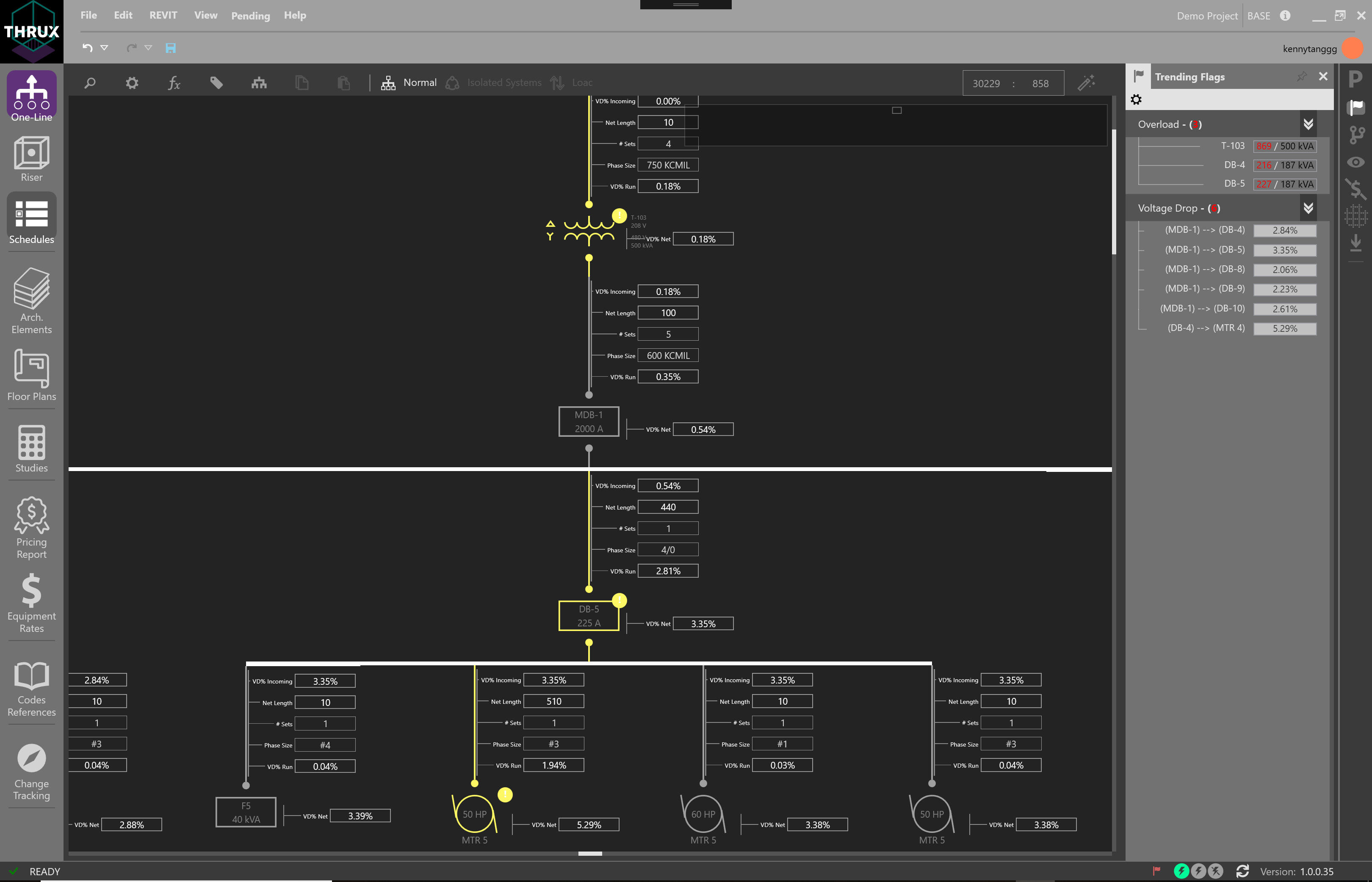
One-Line showing overload and voltage drop violations of applicable codes and safety standards
Studies
Studies allows a tabular view of common engineering reports such as Voltage Drop, Short Circuit, and Loading.
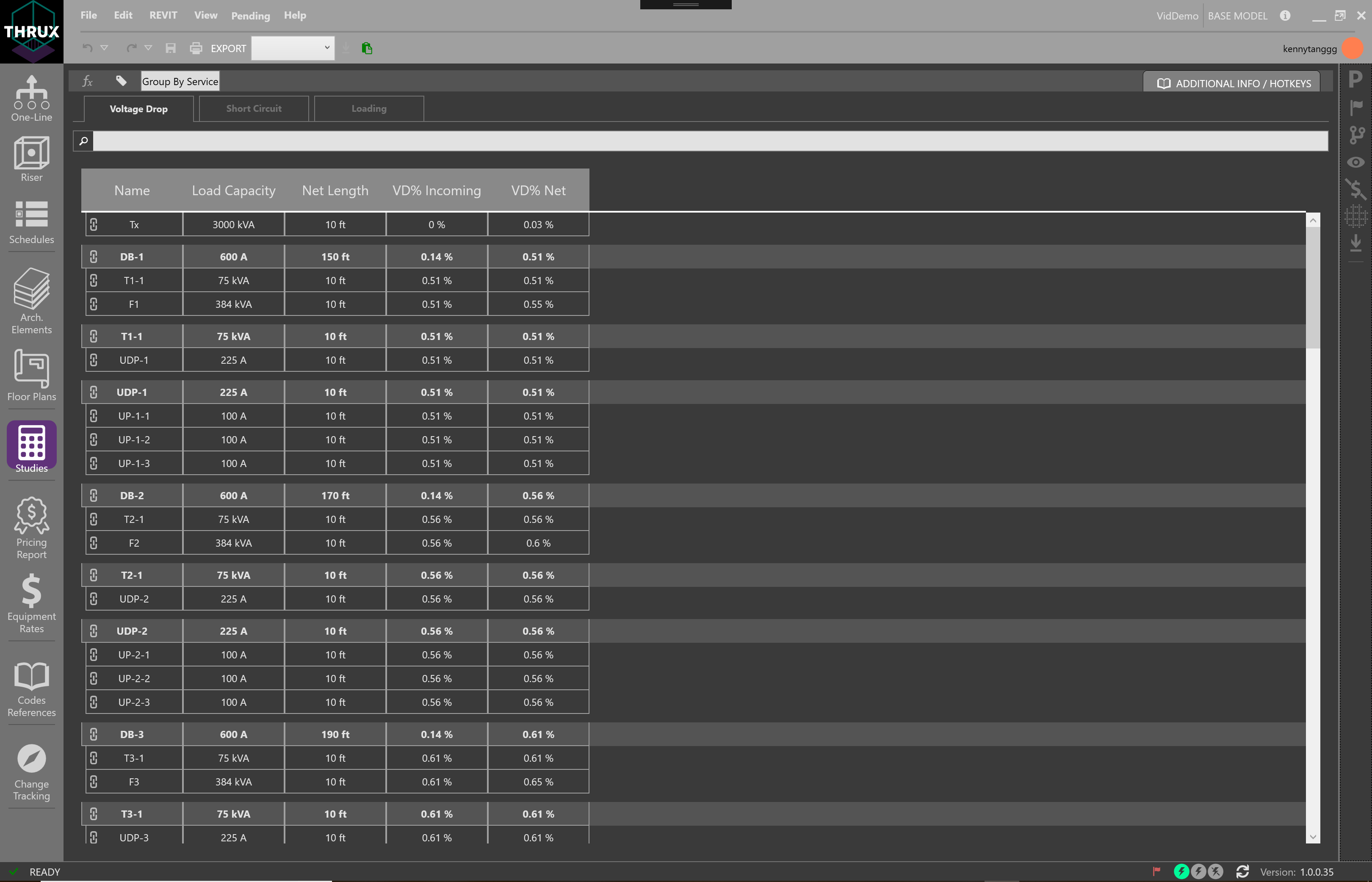
Studies displaying the Voltage Drop report
Codes Reference
The Codes Reference Workspace allows you to view the applicable reference tables of their model.
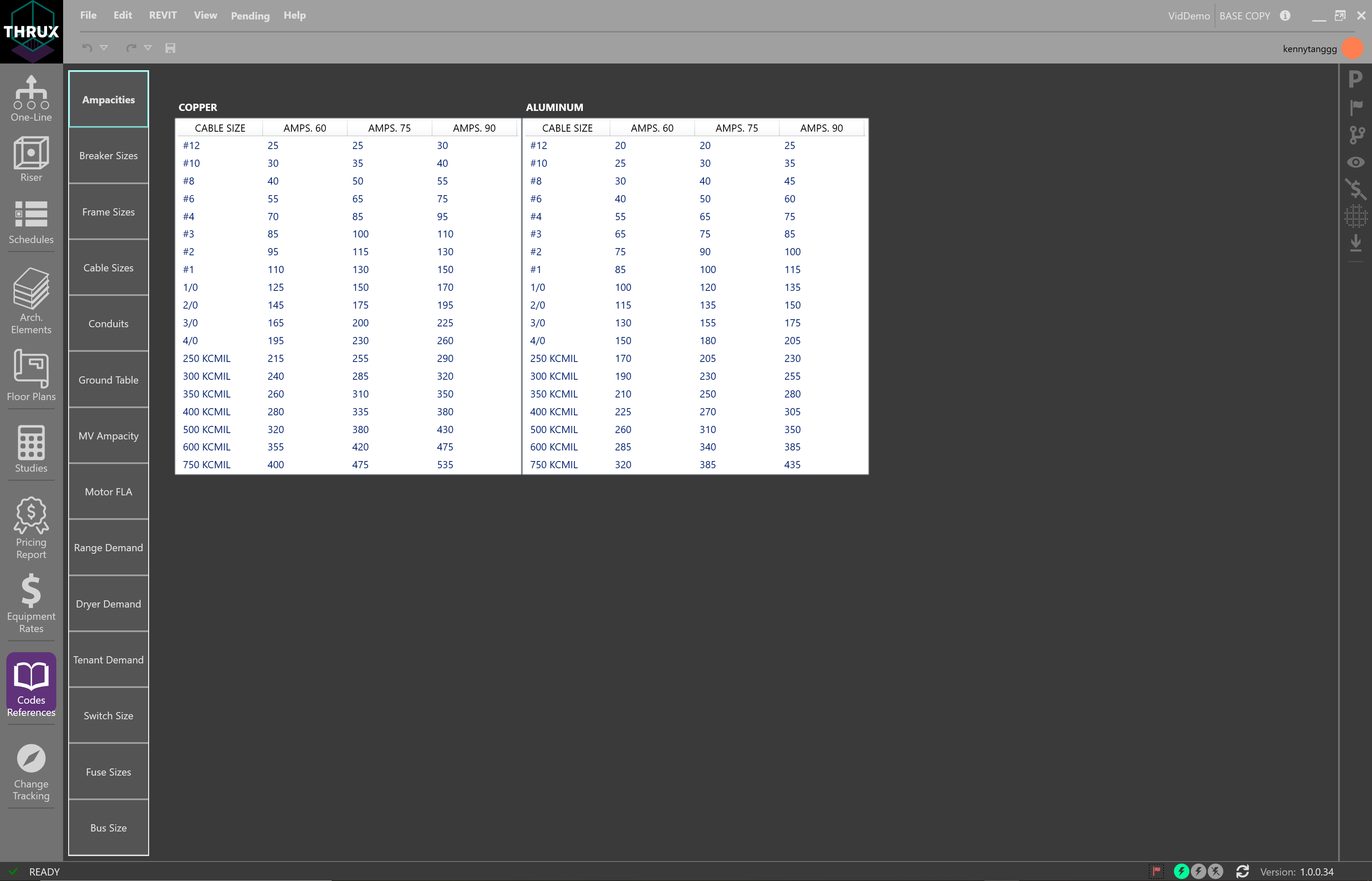
NEC ampacity tables for copper and aluminum conductors
Revit Interoperability
Engineers base their calculations around spacial parameters which are defined by the Architect.
Import an Architectural model from Revit into an environment designed with MEP engineering as the focus. Then synchronize changes back to the Architectural Revit model.
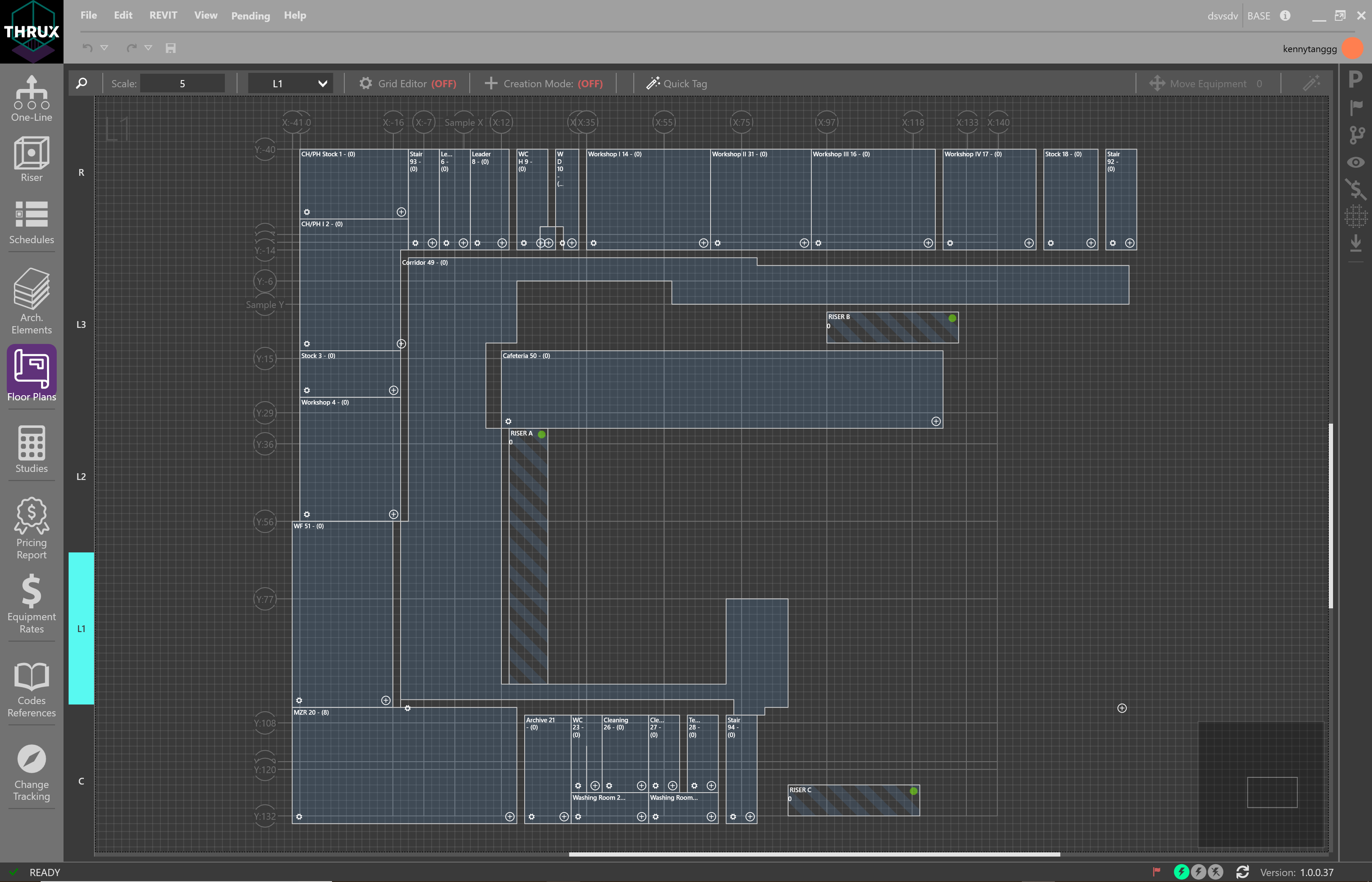
Imported Revit model
Pricing
Instantly translate design-changes to construction cost. Provide an optimized design that fits your client’s budget and timeline.
Pricing Report
The Pricing Report allows you to view a breakout of order of magnitude estimates based on the material and labor rates for the model.
Equipment and labor rate databases are fully customizable for all Projects. These databases can be synchronized with regional averages of other THRUX users. All major takeoffs are taken throughout the course of the design. This saves Contractors dozens of hours doing repetitive counts.
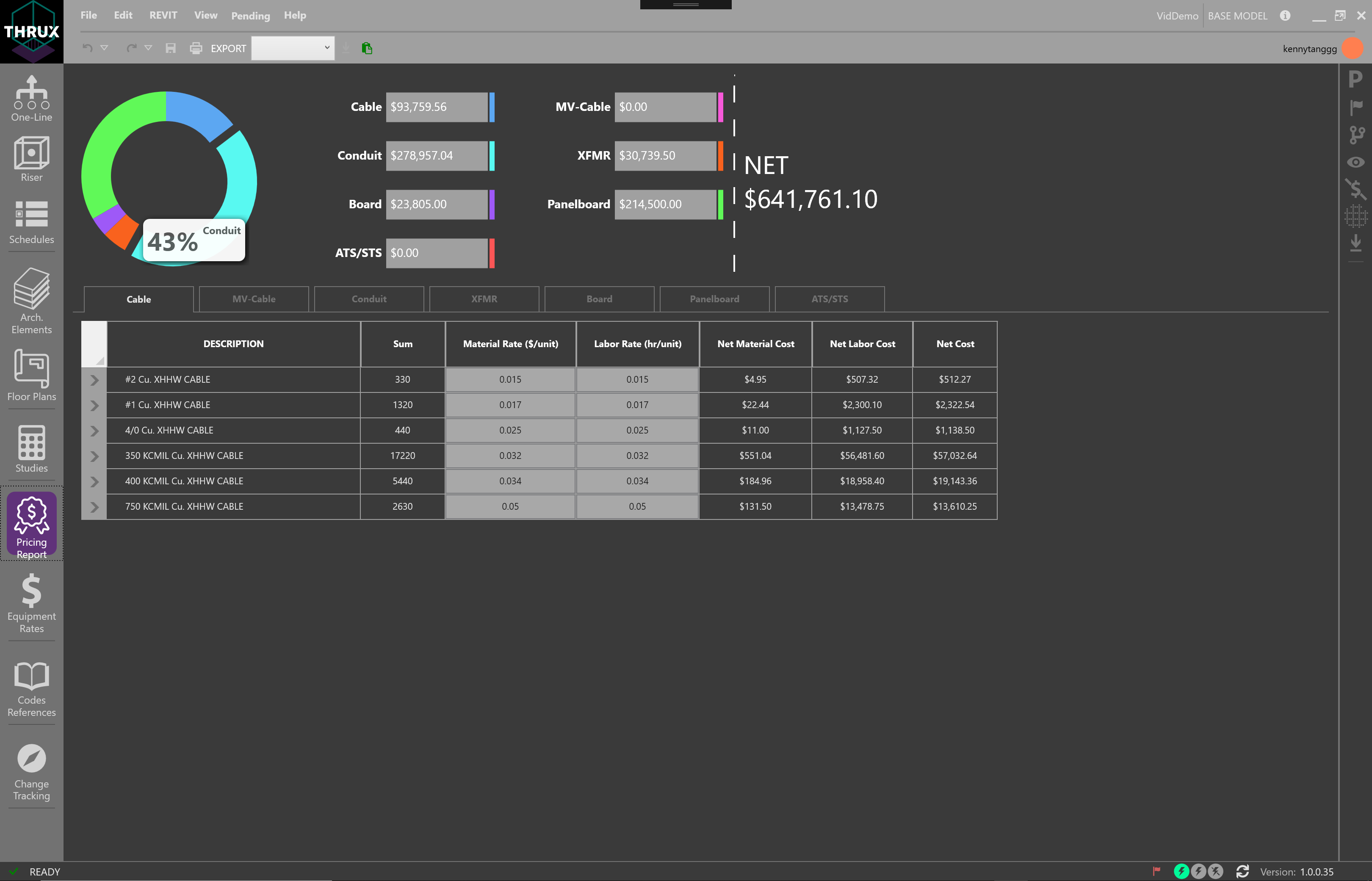
Pricing Report displaying the net cost of the model
Price Monitoring
The Price Tracker is a tool which live monitors the price of the model.
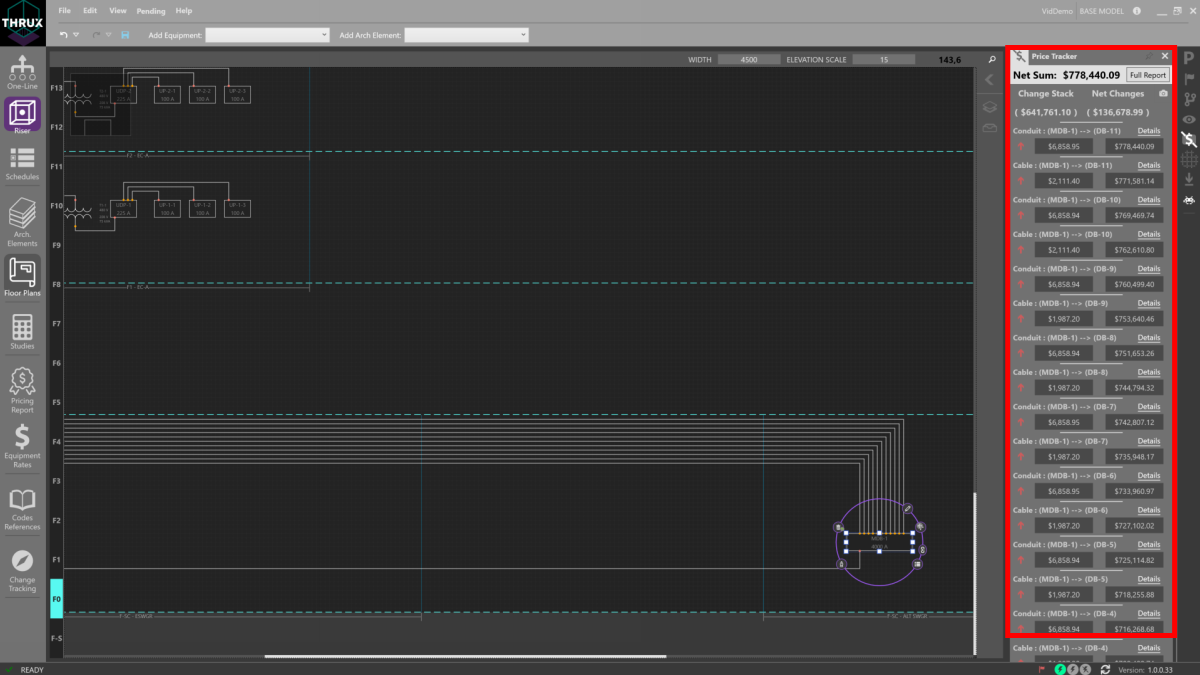
View cost as the location of a main distribution board changes
Branching
Branching provides the ability for you to study alternatives and identify the best path towards achieving the desired result. This allows you to effectively manage multiple design schemes with a single unifying tool. For example, parallel design paths such as exploring copper versus aluminum conductors, or utilizing bus duct versus pipe and wire can be fully studied and optimized.
Issuances are similar to Branches, however, it is possible to compare Branches and provide consolidated reports to Contractors or Owners. The ability to track changes between Branches allows your model to survive in the highly dynamic environment of construction and development.
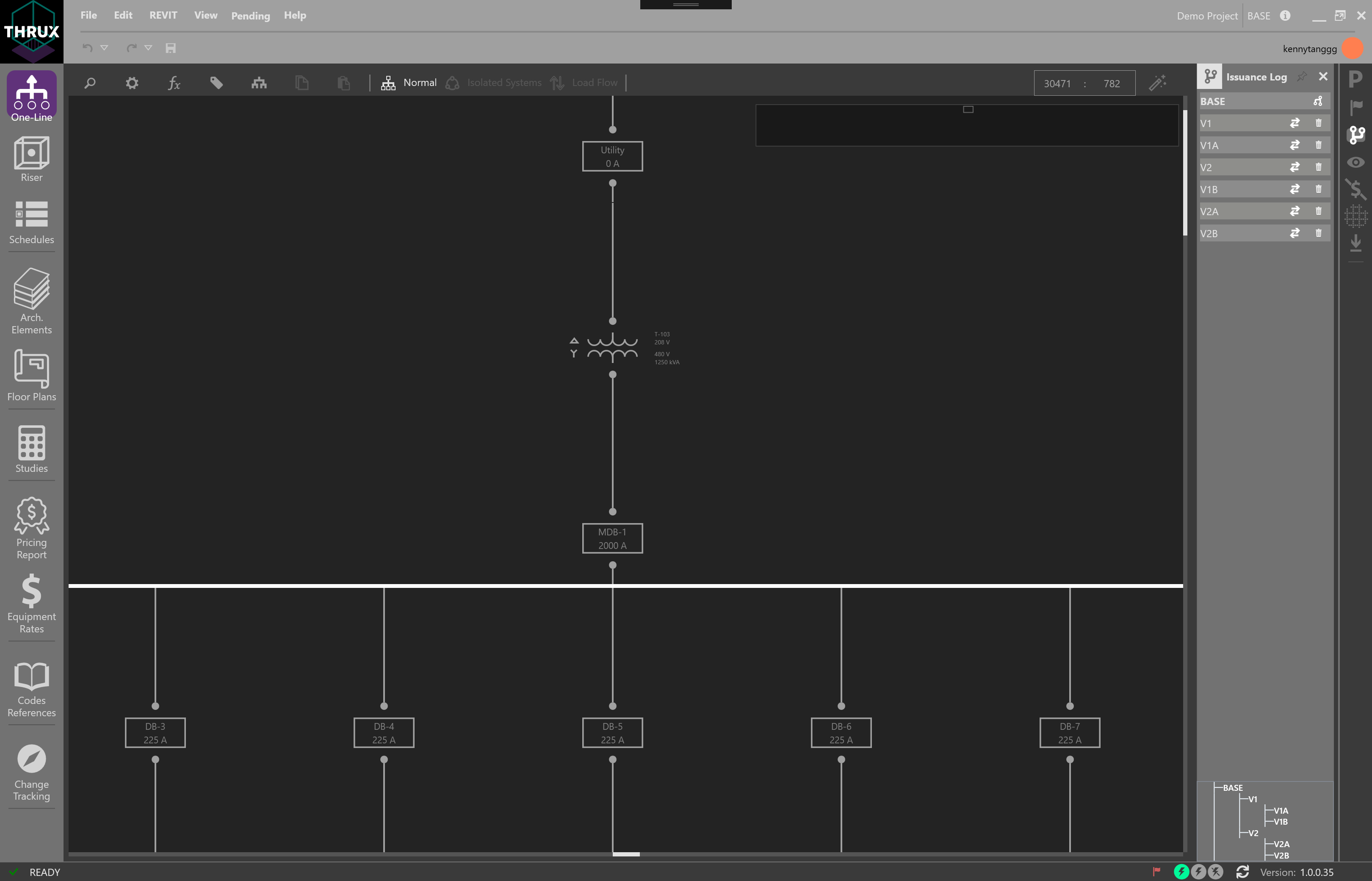
One-Line and the Issuance Log displaying multiple Branches of the base model
For a more in-depth guide, please see our Getting Started guide.