Welcome to THRUX!
Supplement this Product Overview with our Getting Started guide and our FAQ’s for more information.
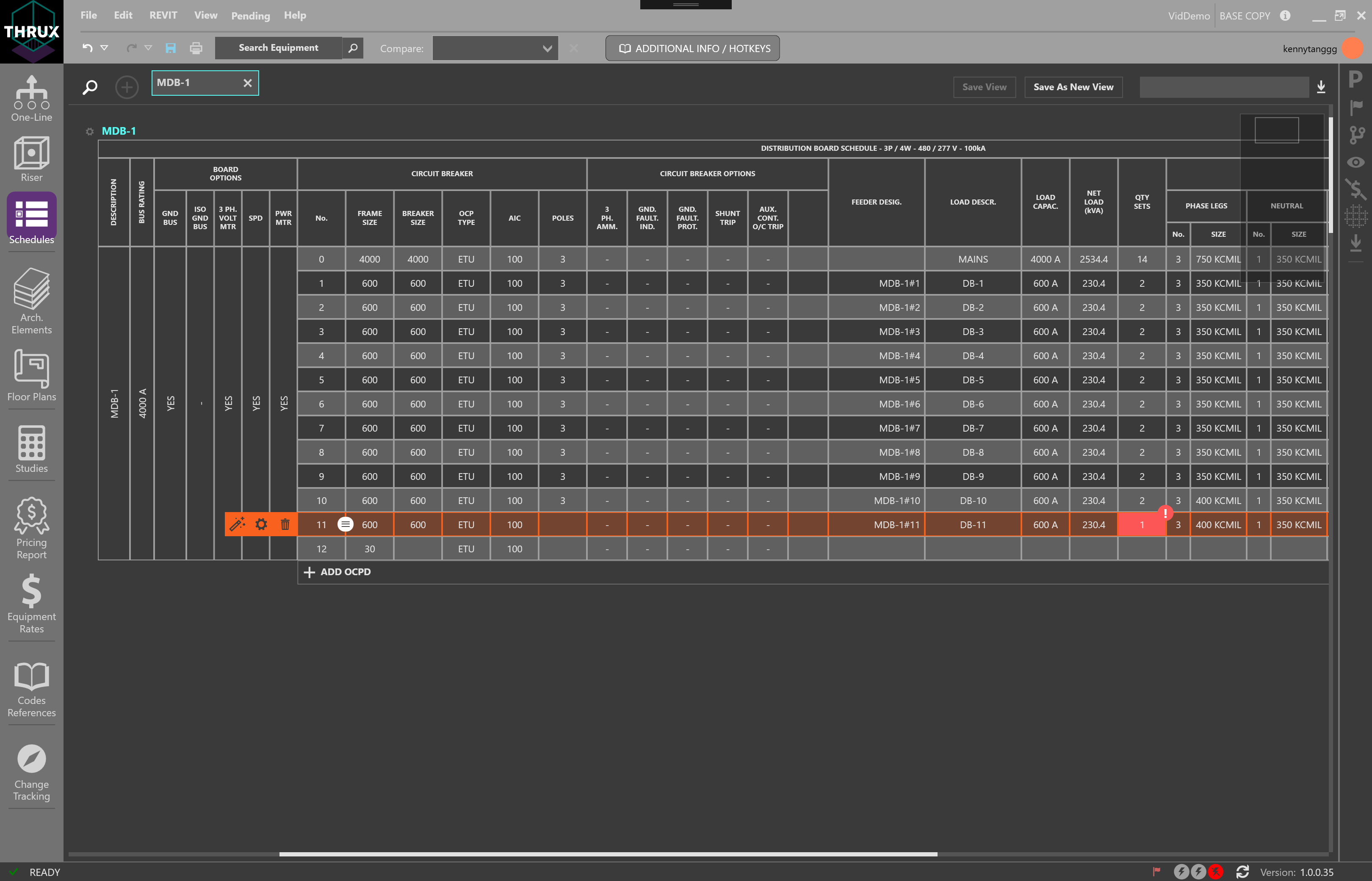
Code-Compliant Design
THRUX offers different levels of Design Assistance, which enable a designer to fully modify parameters of a circuit while monitoring any violations of safety codes and standards.
Design at twice the speed as we are constantly validating your model against applicable codes. Never worry about issuing avoidable code-violations again.
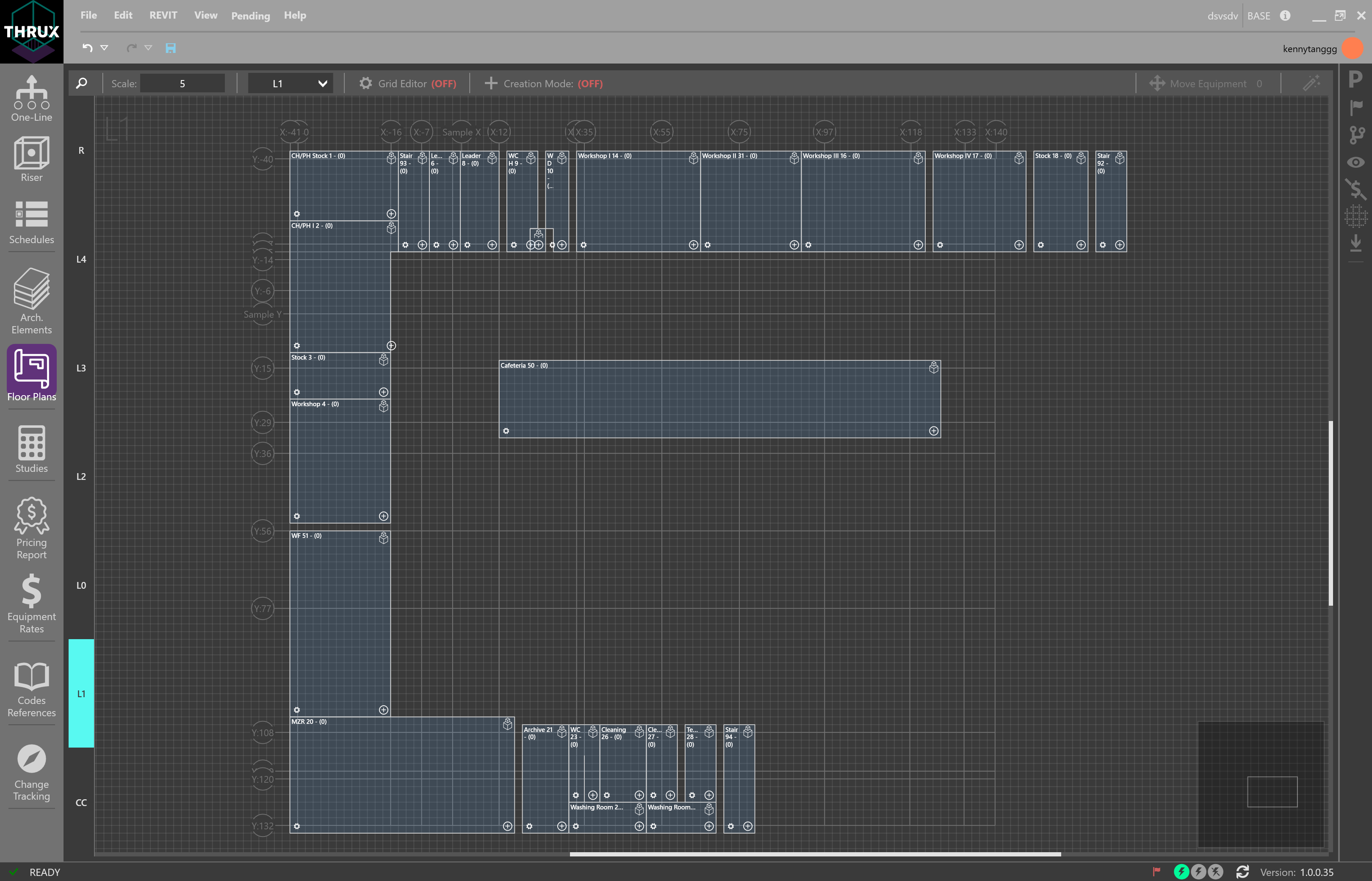
Revit Interoperability
Engineers base their calculations around spacial parameters which are defined by the Architect.
Import Architectural models from Revit, optimize the engineering design using THRUX, and synchronize changes to and from Revit.
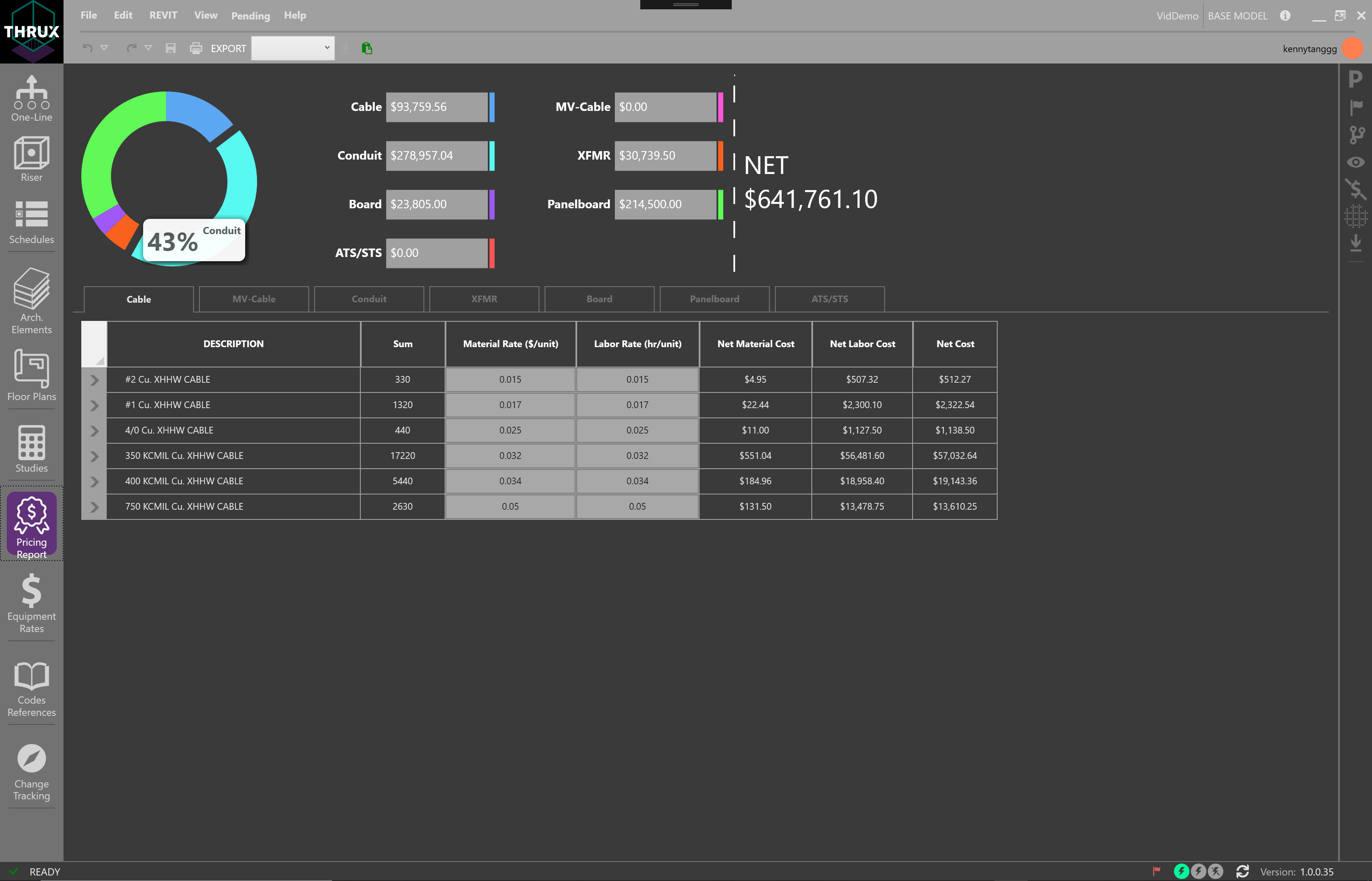
Pricing
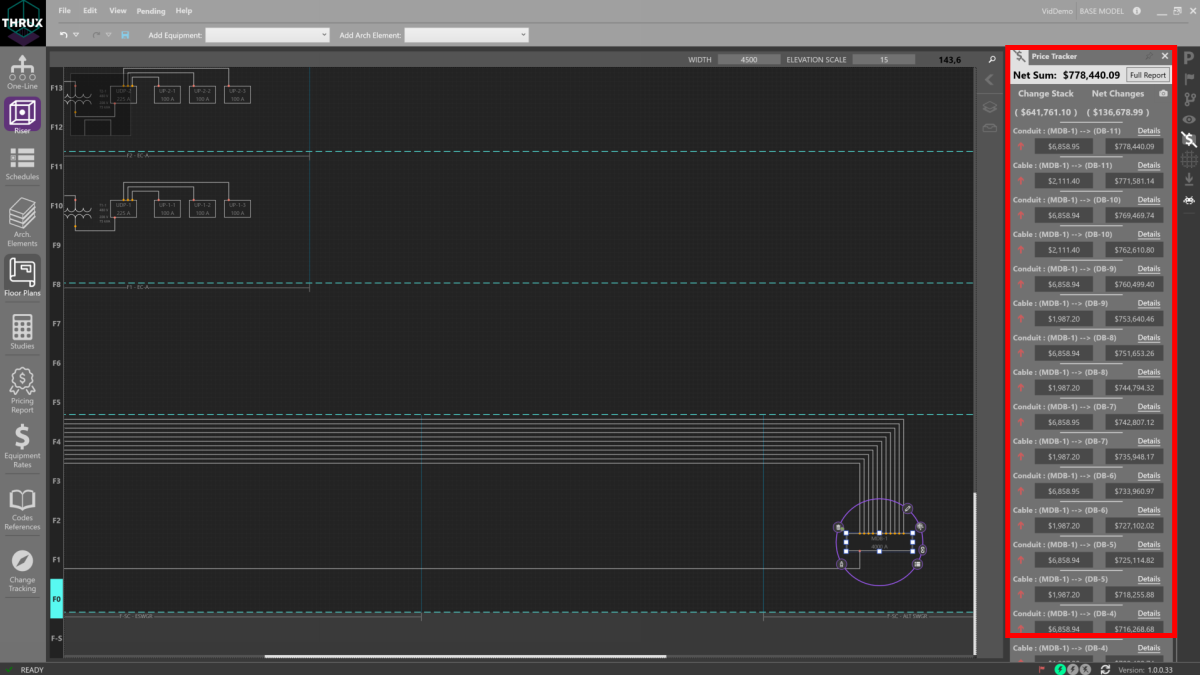
Instantly translate design-changes to construction cost. Provide an optimized design that fits your client’s budget and timeline.
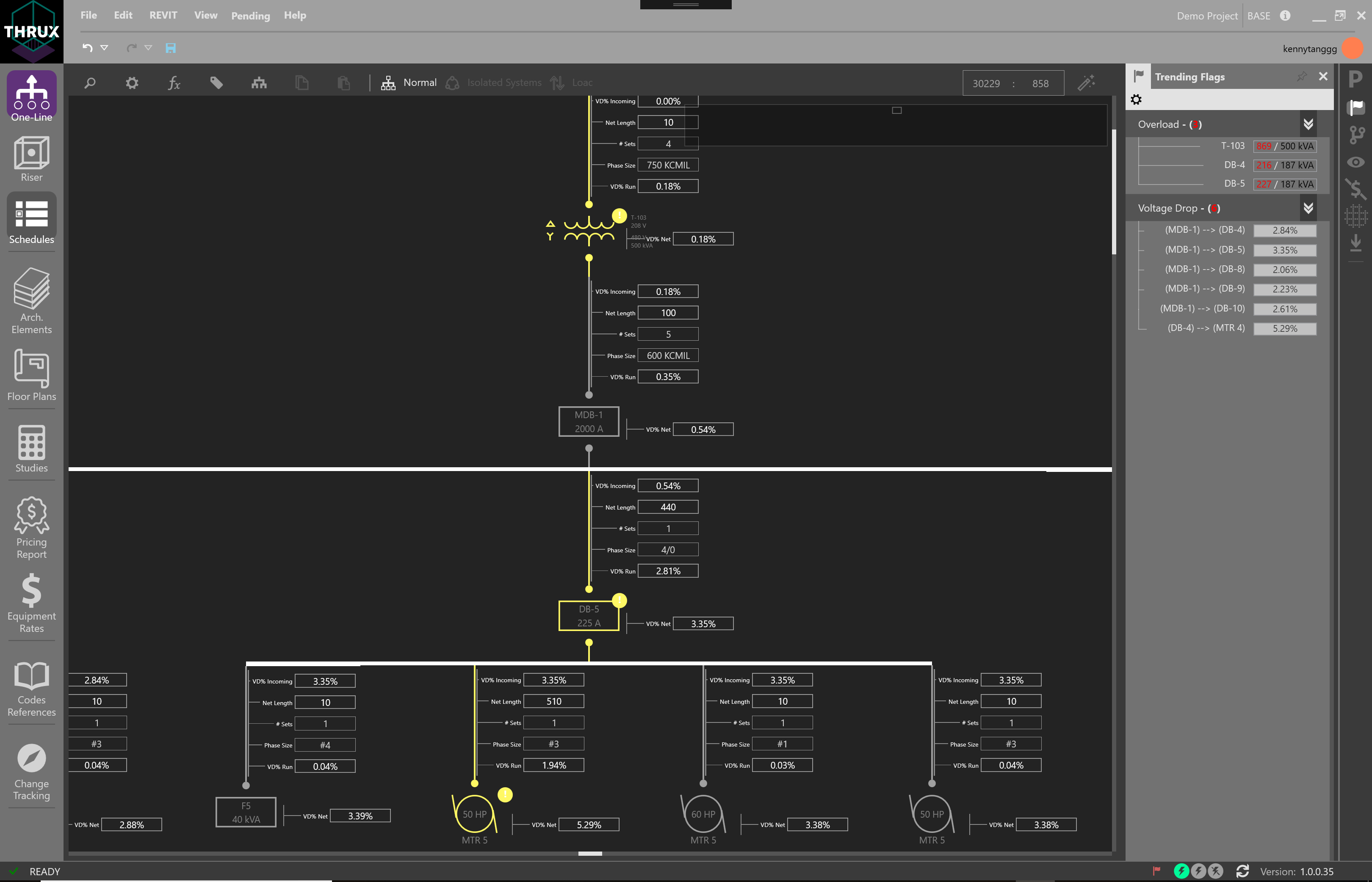
Live Design Analysis
Flag Tracker
The Flag Tracker is a tool which reports any violations of a Project’s applicable codes and safety standards.
Branching
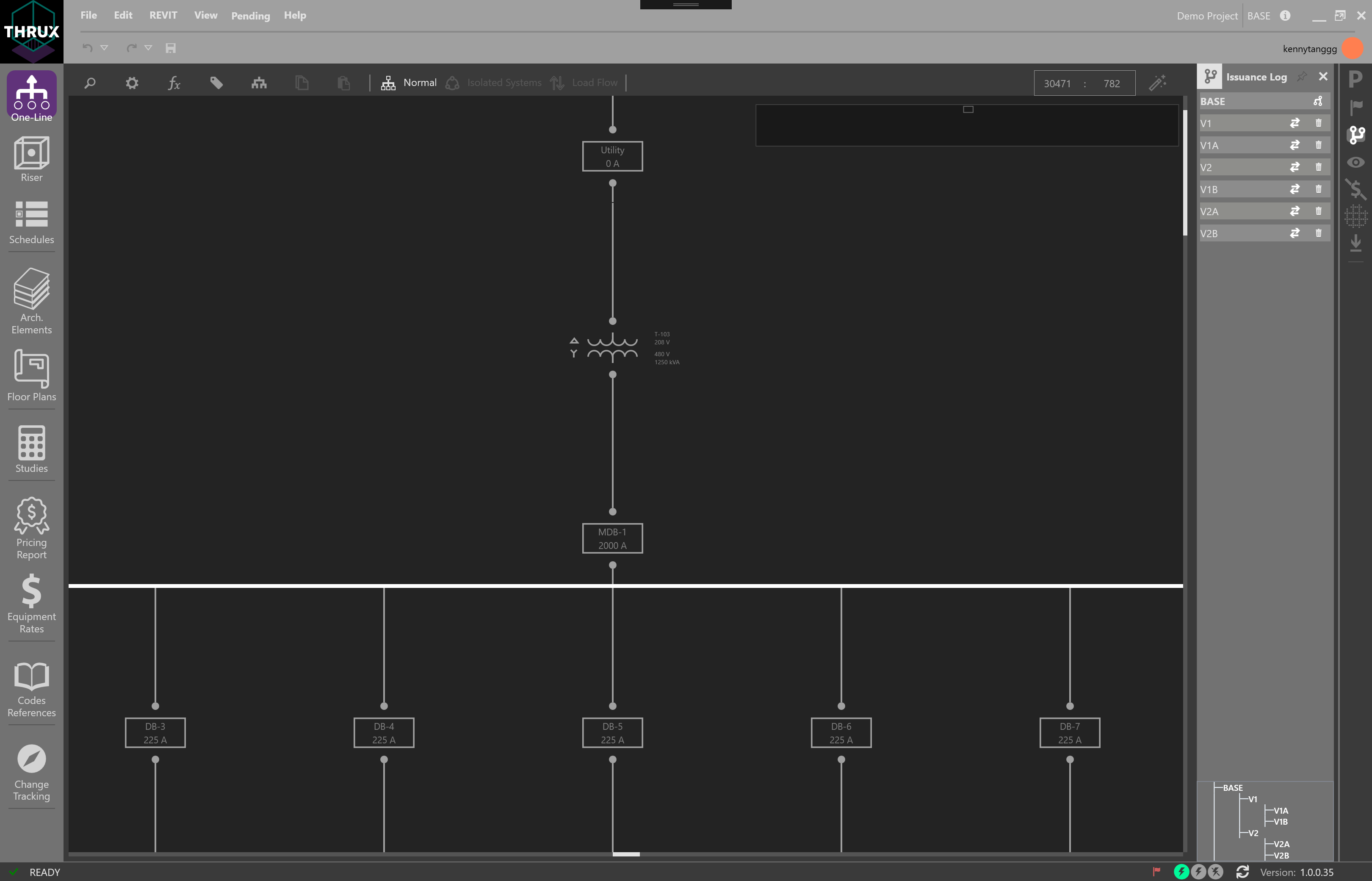
Branching provides the ability for designers to study alternatives and identify the best path towards achieving the desired result.
Reporting
Studies and the Pricing Report are reporting Workspaces which have the ability to generate reports.
Studies
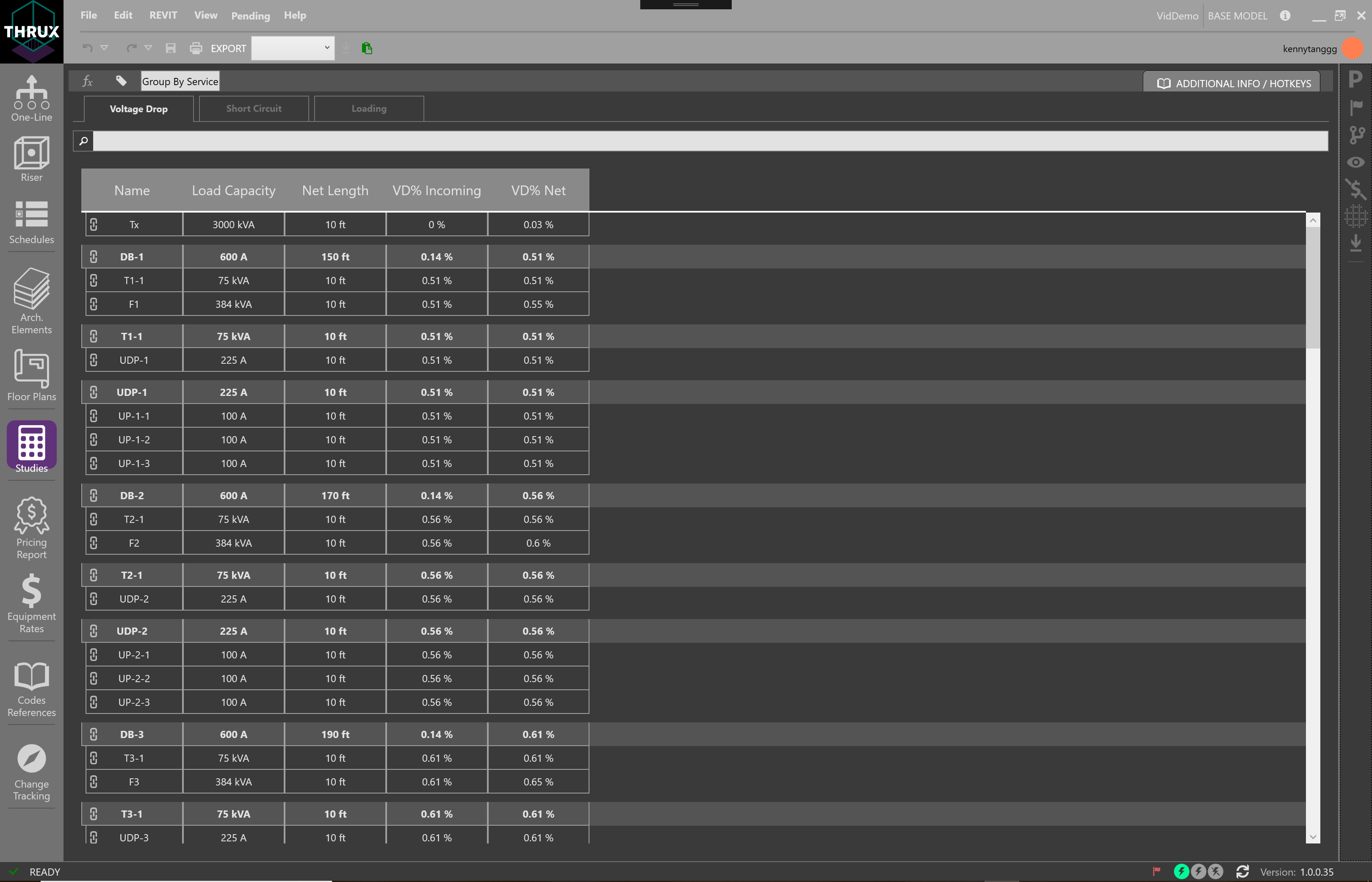
Studies allows a tabular view of common engineering reports of the model such as Voltage Drop, Short Circuit, and Loading.
Pricing Report
The Pricing Report allows the user to see a breakout of order of magnitude estimates for the model.
Reference Workspaces
Codes Reference
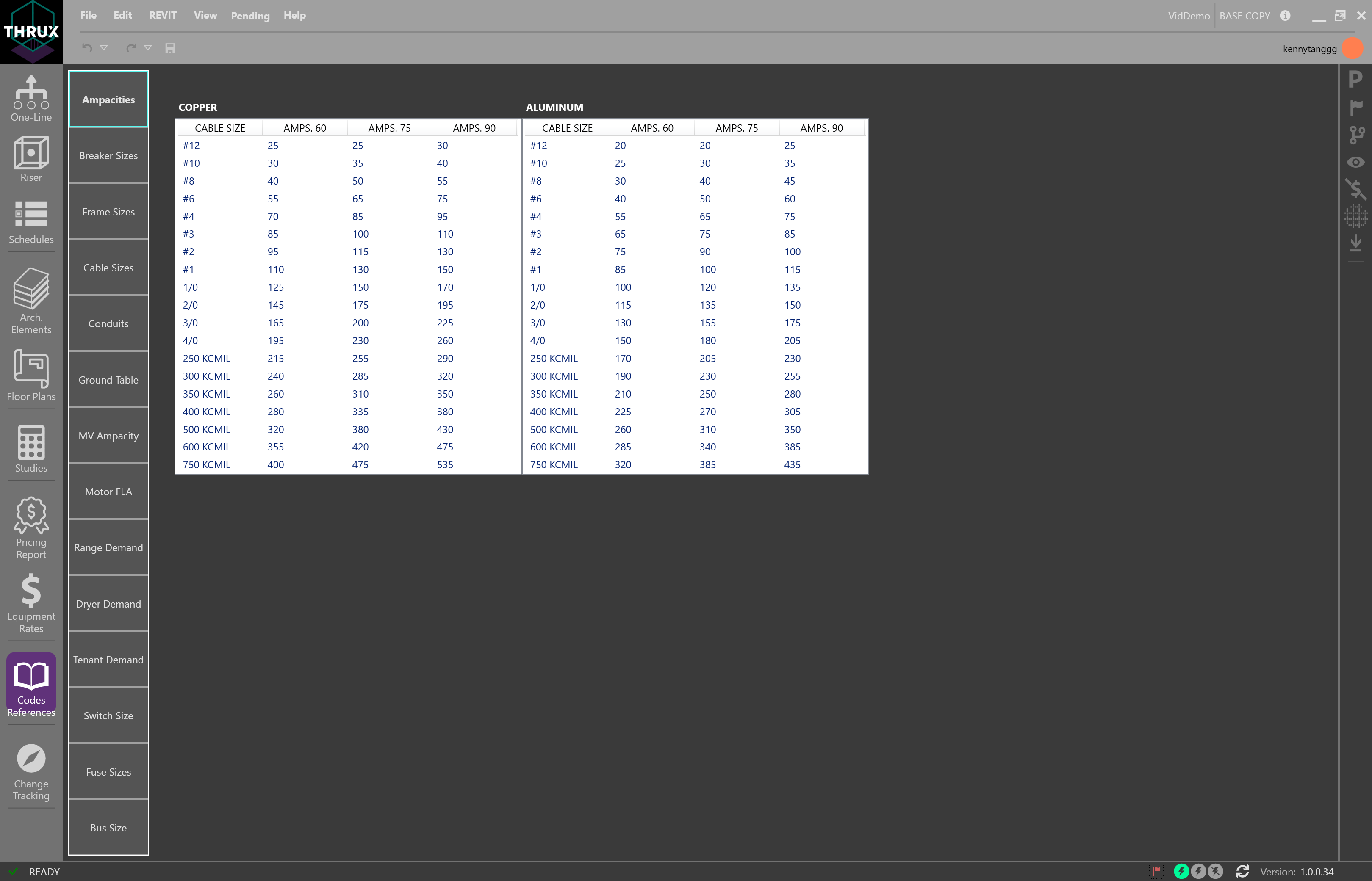
The Codes Reference Workspace allows the designer to view applicable reference tables to their model.
See Explorer Toolbar for more information.
For a more in-depth guide, please see our Getting Started guide.