Branching
Designers are often tasked to study different options in order to determine the best option for the Owner. The Issuance Log is a tool which allows the designer to create Branches of their design.
The initial Base scheme is also known as the Base Issuance, and should be the primary working Branch. If a designer is asked to study an alternative option, create a Branch. Designers can switch between Branches as necessary.
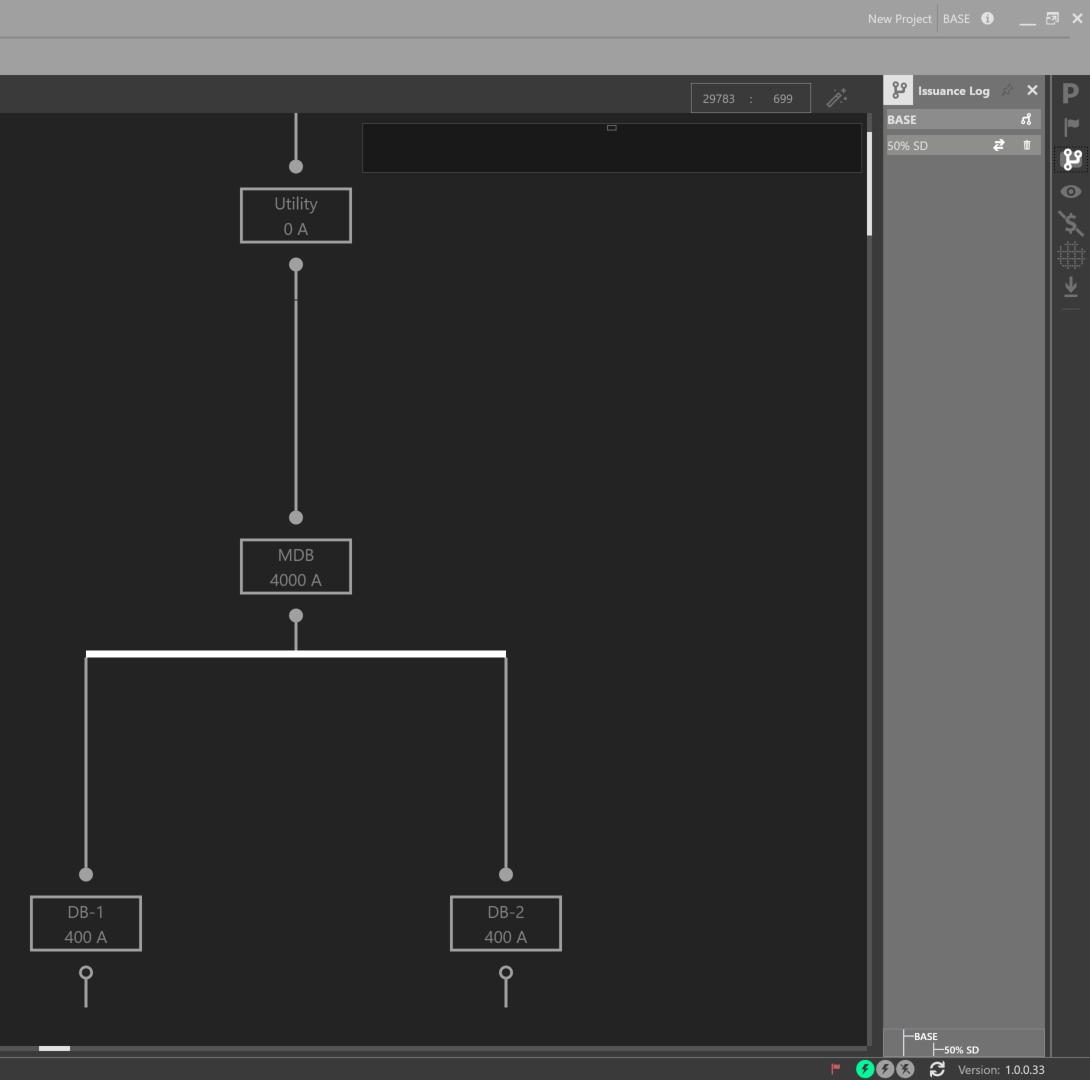
To create a Branch, open the Issuance Log on the right sidebar.
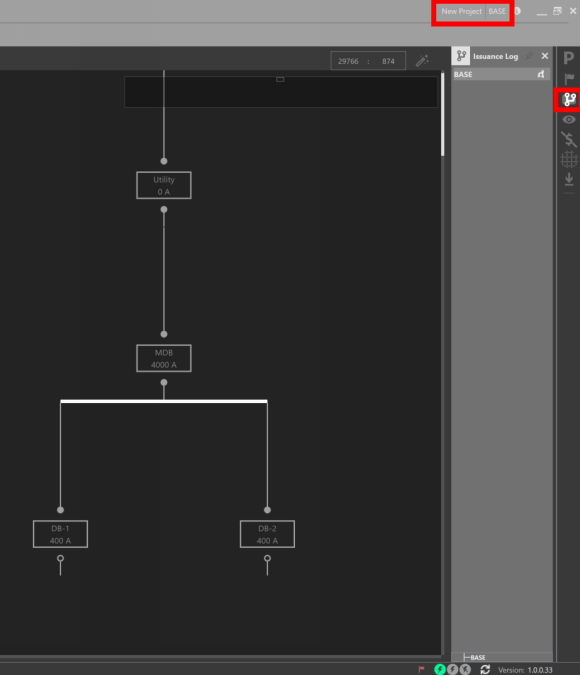
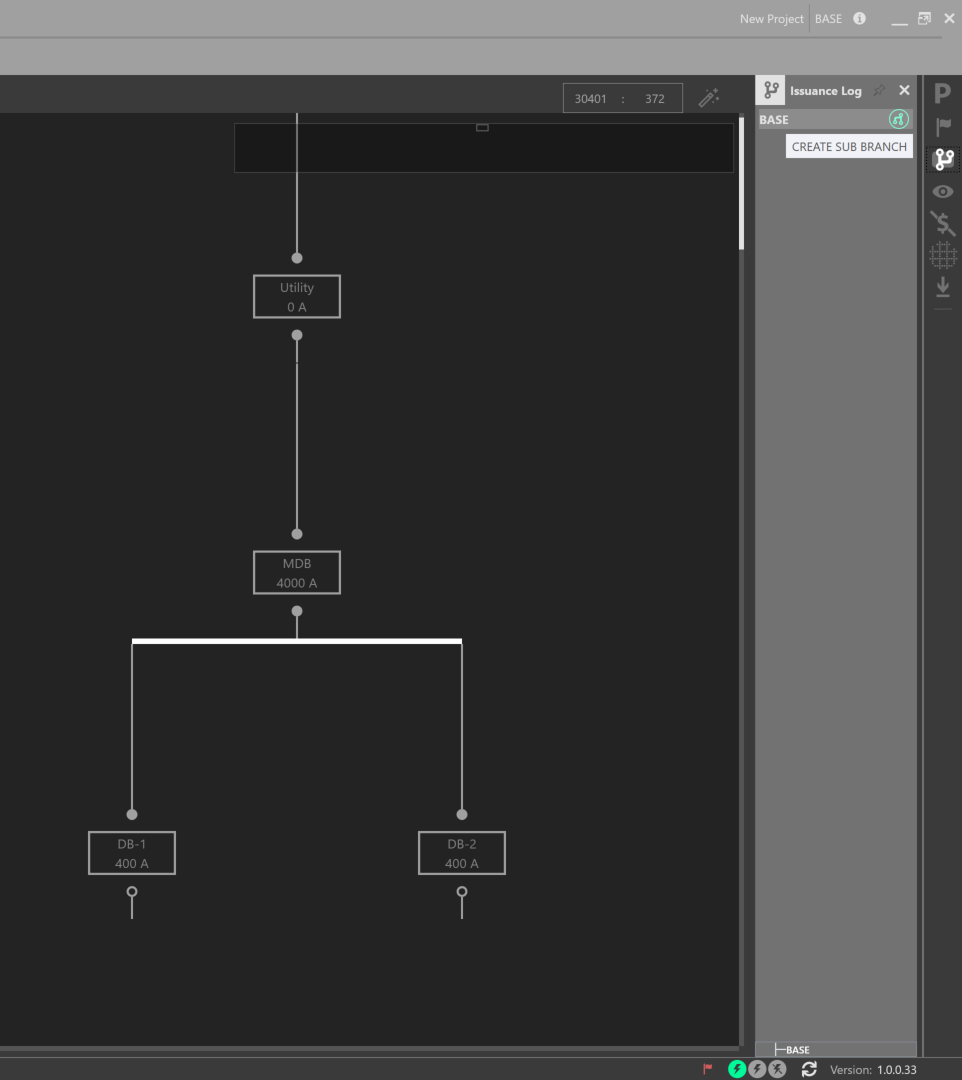
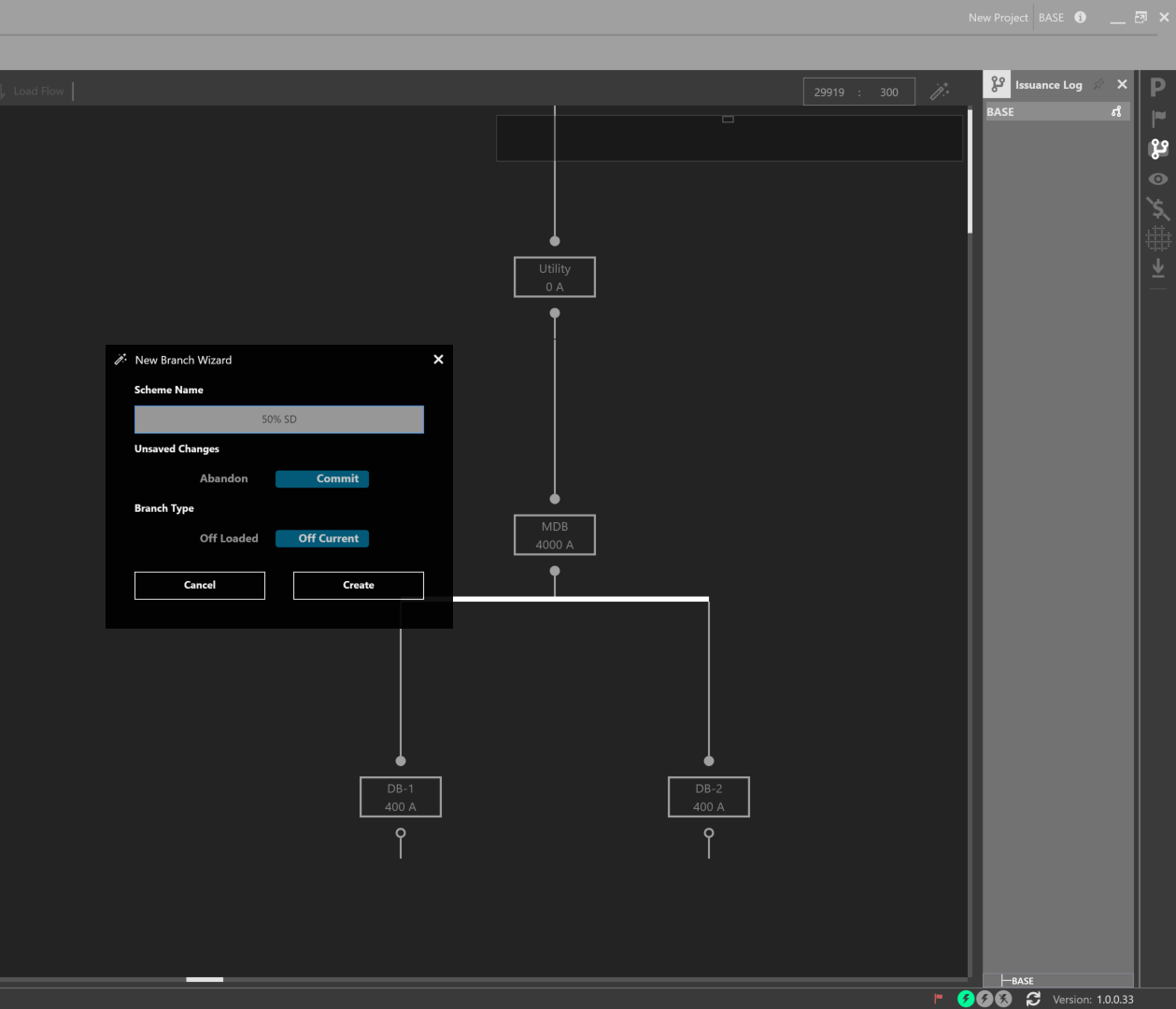
Click the Branch symbol and give the Branch a name. You can create a Branch off of the current model, or off of the last saved model. To branch off the current model, or what was initially loaded, Abandon the Unsaved Changes. To branch off the last saved model, Commit your Unsaved Changes.
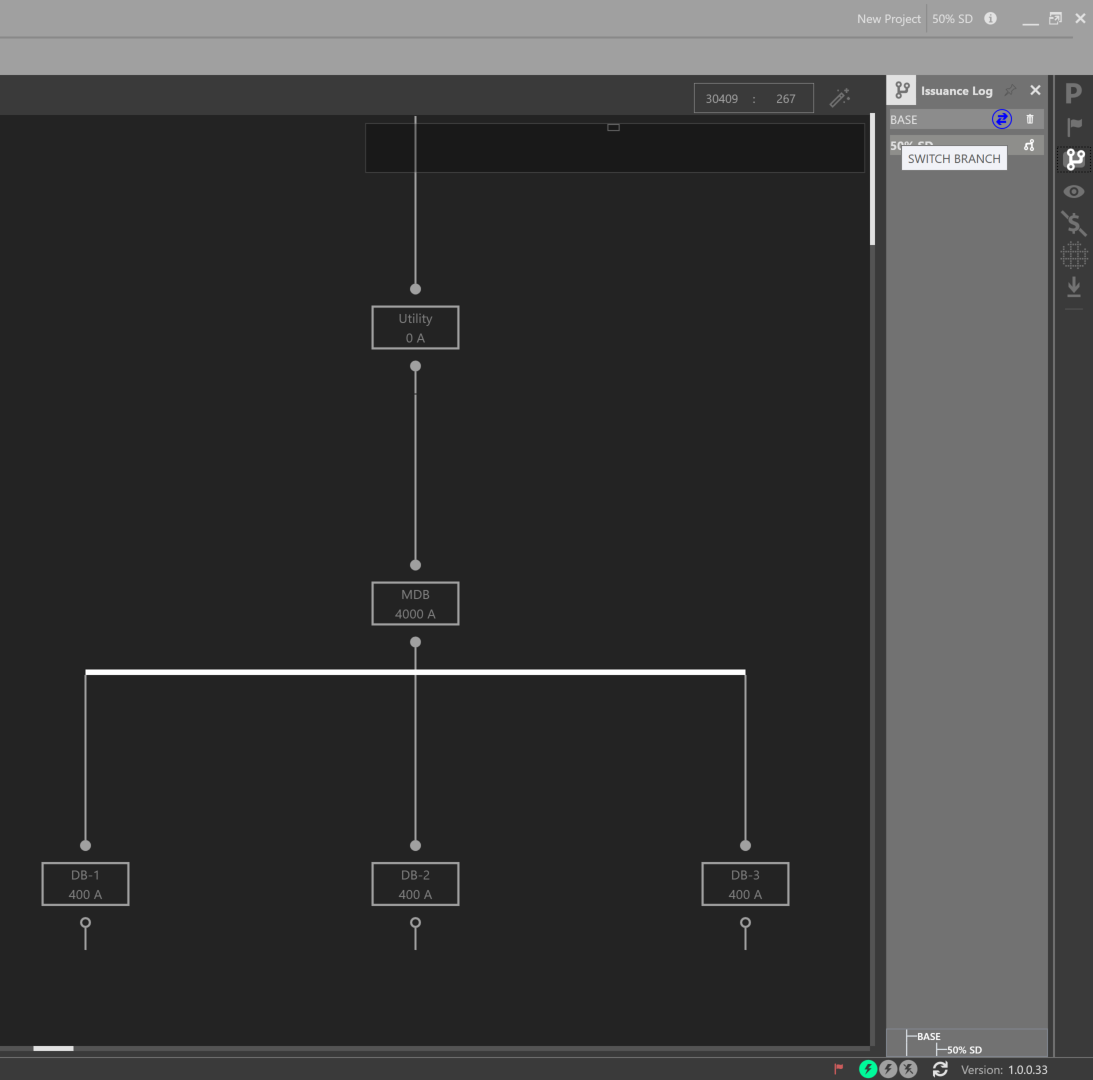
Swap between Branches by clicking the arrow symbols. The current Branch is noted in the top right navigation bar. A branching map is displayed at the bottom of the Issuance Log. Note the differences between the two One-Lines of each Branch.
In addition, designers can compare changes between Branches, by using the Change Tracking Workspace.