Scenario Manager
The Scenario Manager can be used to model different scenarios representing the state of protective devices. It is generally used in conjunction with the One-Line.
For example, a designer may want to perform a load flow study of their electrical system as certain protective devices are opened or closed.
Open the Scenario Manager and show the OCPD’s on the One-Line.
Right-click on a protective device to add it to a New Scenario.
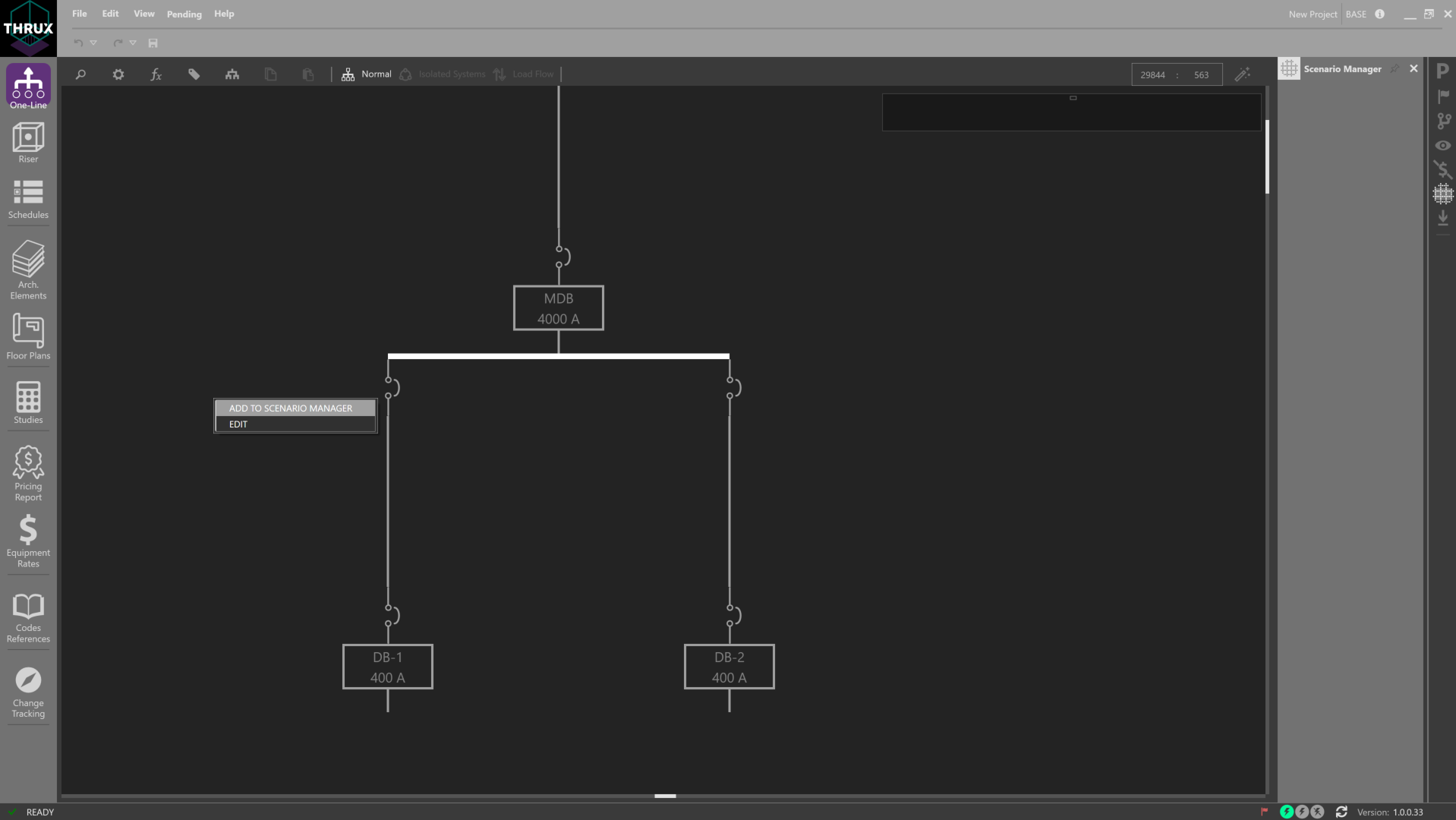
Adding a protective device to the Scenario Manager
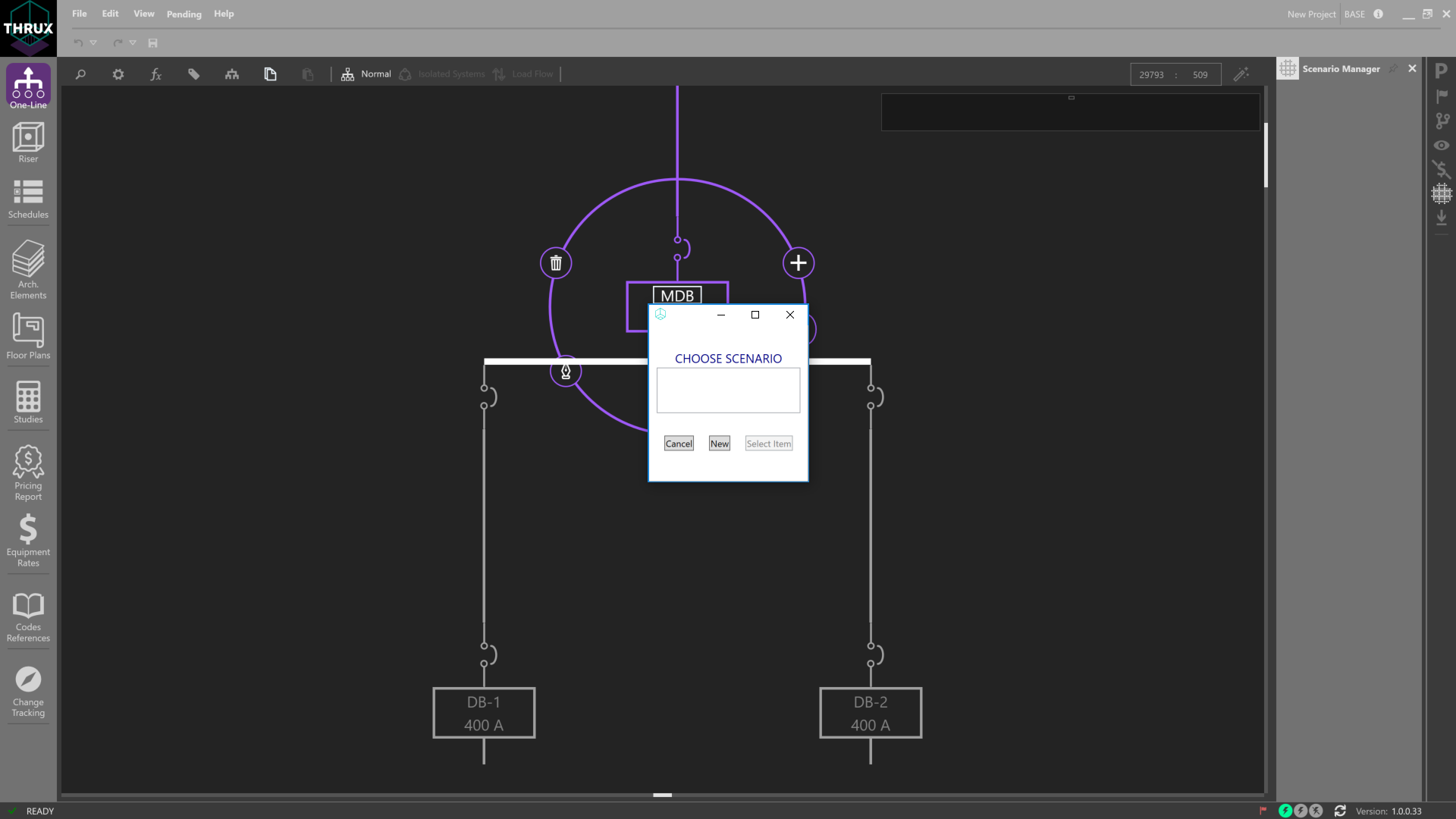
Creating a new Scenario
In each Scenario, toggle the different states of protective devices, and also toggle between different Scenarios as shown below. Note that the color of live Equipment changes when a protective device is opened or closed.
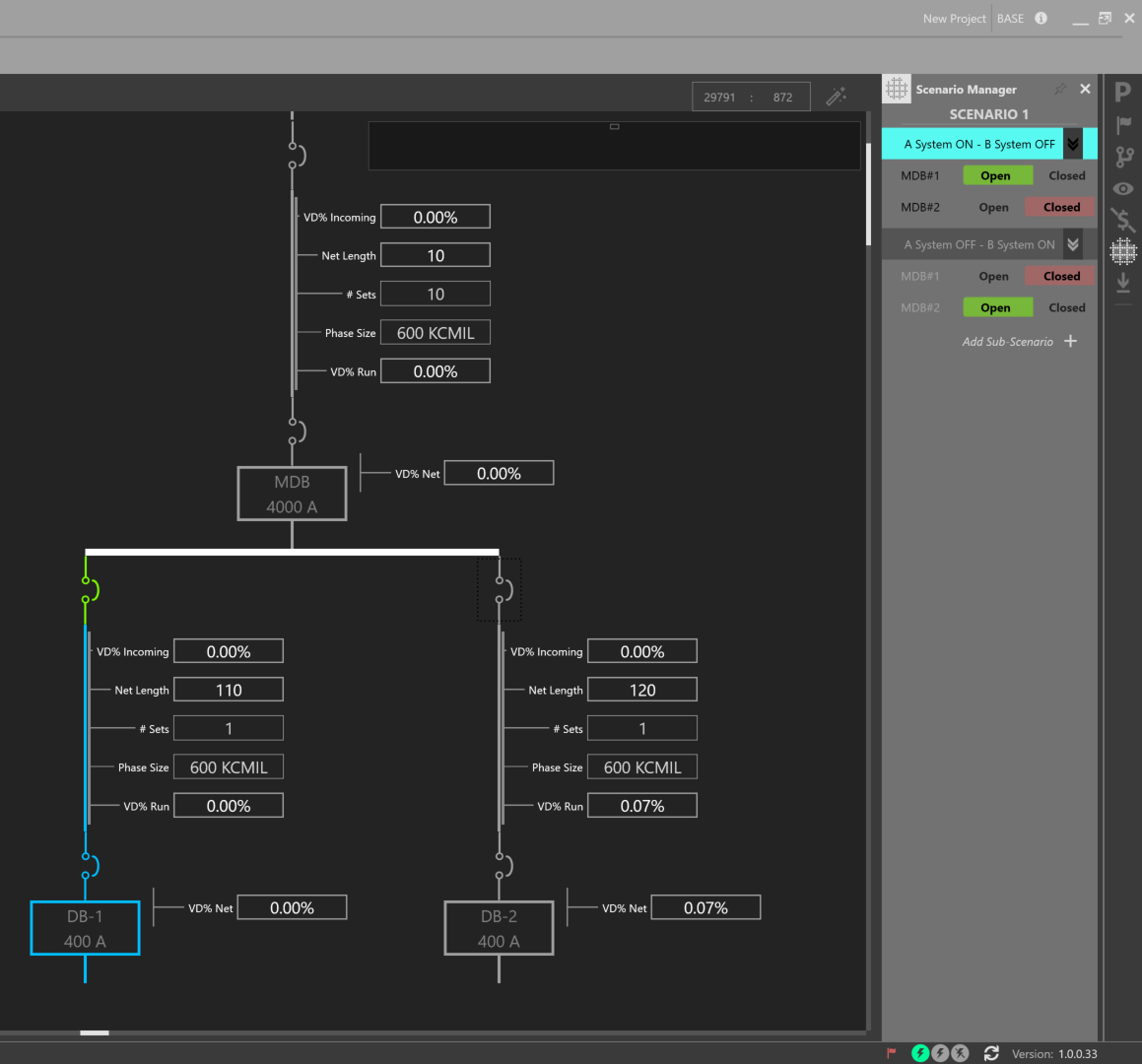
Scenario 1 with Sub-Scenario 1 Active
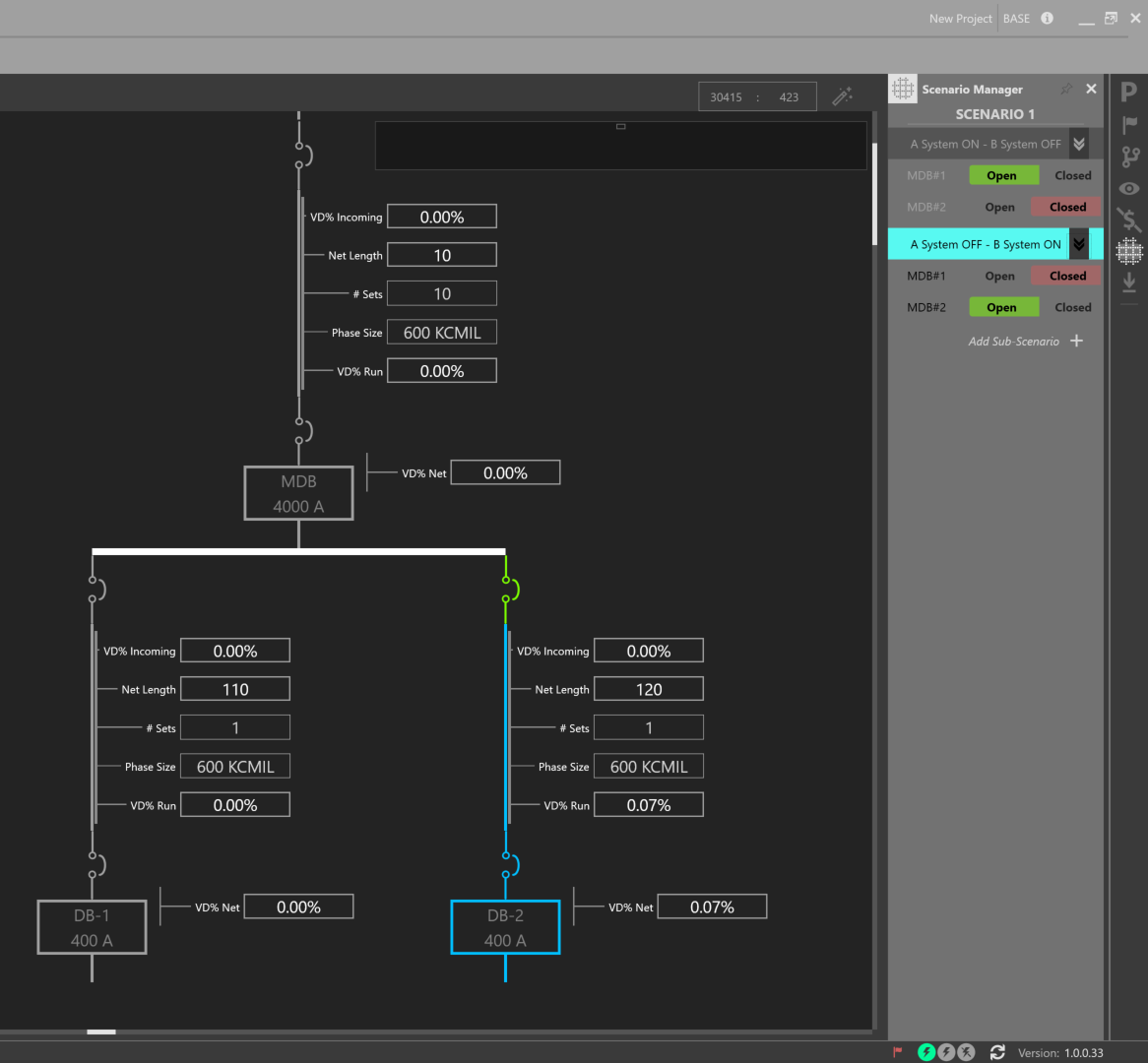
Scenario 1 with Sub-Scenario 2 Active